
SEO Plug in WordPress: Complete Setup Guide 2026

Modest Mitkus
June 26, 2026
WordPress powers over 40% of all websites on the internet, making it the most popular content management system globally. However, building a website on WordPress is only the first step. Without proper search engine optimization, your content remains invisible to potential visitors. This is where an seo plug in wordpress becomes essential. These specialized tools transform your WordPress site into an SEO powerhouse, automating technical optimizations, content analysis, and search engine communication. Whether you're running a business blog, e-commerce store, or corporate website, understanding how to leverage WordPress SEO plugins can dramatically increase your organic traffic and online visibility.
Understanding WordPress SEO Plugins
An seo plug in wordpress is a specialized software extension that integrates directly into your WordPress dashboard to enhance your website's search engine performance. These plugins handle the technical complexities of SEO that would otherwise require extensive coding knowledge and manual implementation.
Core Functions of SEO Plugins
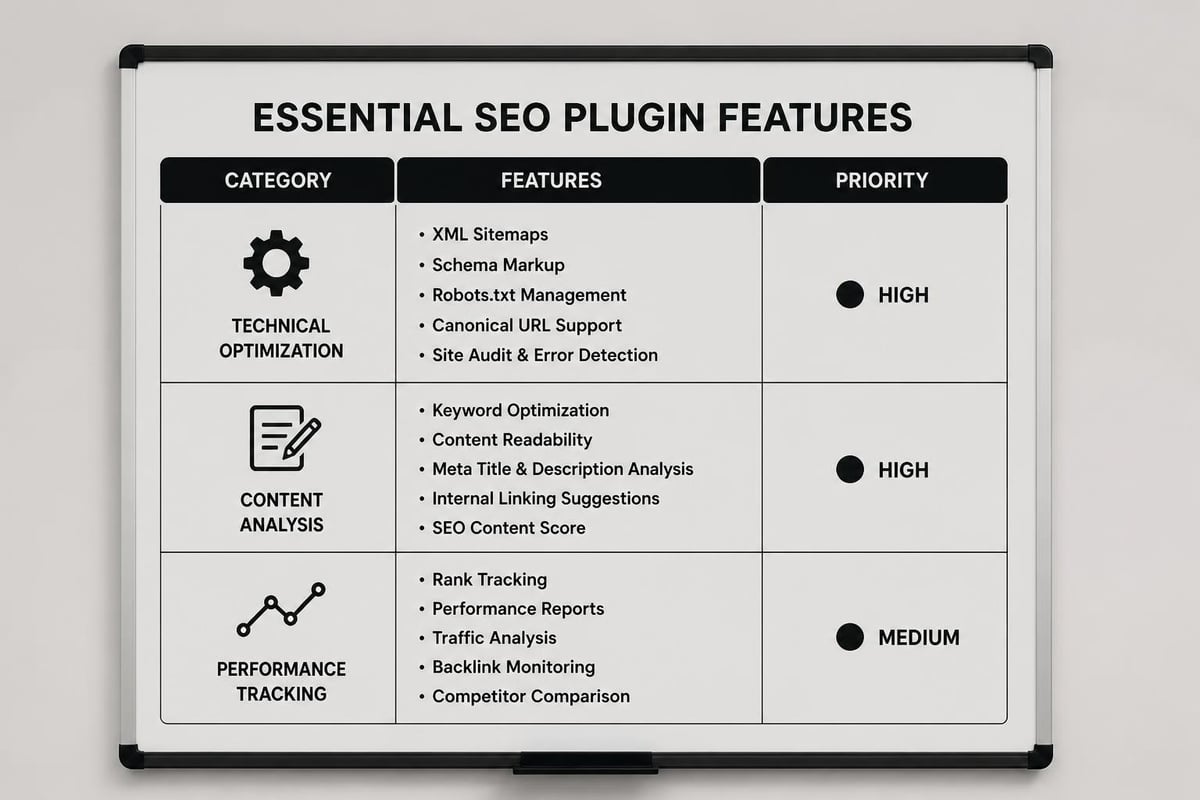
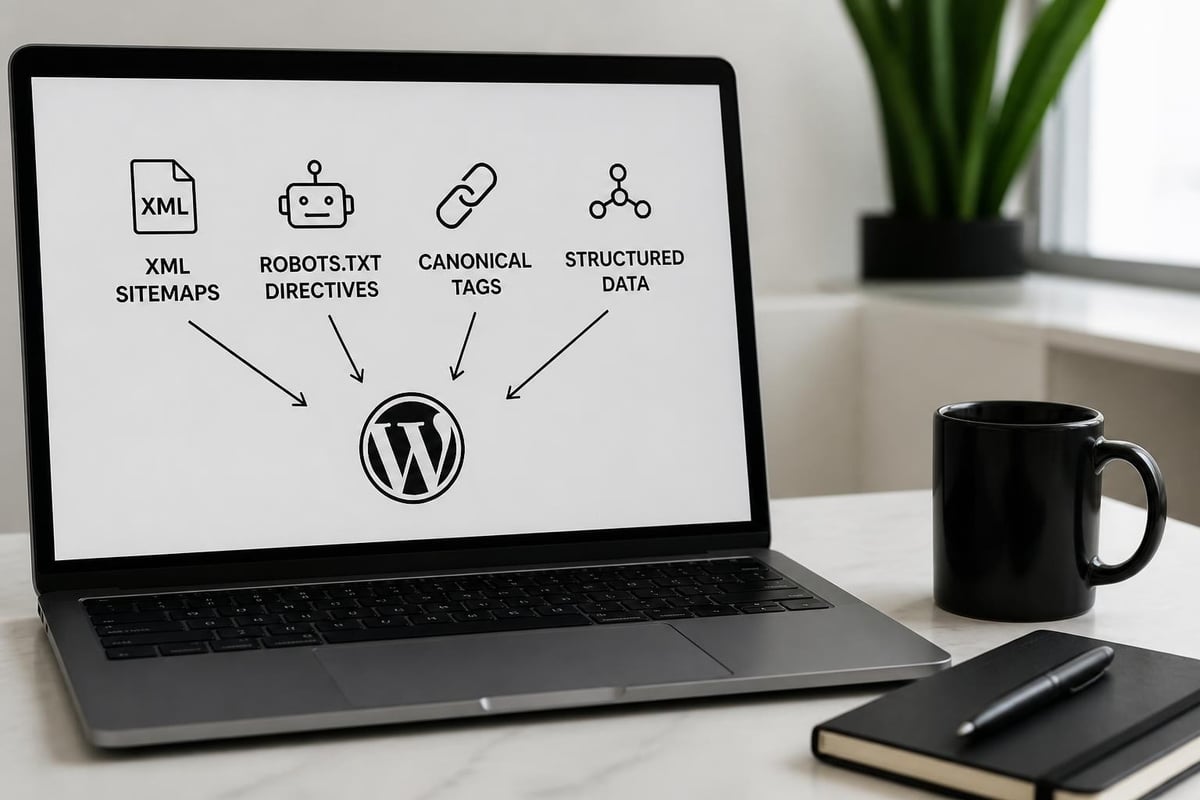
WordPress SEO plugins serve multiple critical functions that work together to improve your search rankings. They manage technical SEO elements like XML sitemaps, robots.txt files, and canonical URLs automatically. Content optimization features analyze your writing in real-time, suggesting improvements for keyword usage, readability, and meta descriptions.
Key capabilities include:
- Automated generation and submission of XML sitemaps
- Meta title and description optimization
- Schema markup implementation
- Social media integration and preview control
- Internal linking suggestions
- Breadcrumb navigation setup
- Redirect management for broken links
The most sophisticated plugins go beyond basic optimization by providing actionable insights based on your content. They evaluate keyword density, sentence structure, and content length against current SEO best practices. SEO automation platforms have evolved to handle these tasks continuously without manual intervention.

Why Manual SEO Falls Short
Attempting to optimize WordPress sites manually creates significant challenges for most website owners. Technical SEO requires constant monitoring of hundreds of individual elements across every page. Search engines update their algorithms regularly, making it difficult to stay current with best practices.
Manual optimization also consumes enormous amounts of time. Each blog post requires careful attention to meta tags, internal links, image alt text, and structured data. Without automated tools, these tasks become overwhelming as your content library grows.
According to research on SEO practices, the correlation between proper optimization and content visibility has strengthened significantly in recent years. Websites using comprehensive SEO plugins consistently outperform those relying on manual methods.
Choosing the Right SEO Plug in WordPress
The WordPress plugin repository contains dozens of SEO options, each with different features, pricing models, and learning curves. Selecting the right tool requires understanding your specific needs and technical capabilities.
Popular Plugin Comparison
| Plugin Name | Best For | Key Strength | Pricing Model |
|---|---|---|---|
| Yoast SEO | Beginners | User-friendly interface | Freemium |
| Rank Math | Advanced users | Feature-rich free version | Freemium |
| All in One SEO | E-commerce | WooCommerce integration | Freemium |
| SEOPress | Privacy-focused | White-label options | Freemium |
Each major seo plug in wordpress offers distinct advantages. Yoast SEO pioneered the traffic light system for content analysis, making optimization accessible to non-technical users. Rank Math provides more advanced features in its free tier, including automated schema markup for multiple content types.
The comprehensive review of WordPress SEO plugins shows that premium features often include enhanced keyword tracking, advanced schema types, and priority support. However, many websites achieve excellent results using free versions alone.
Essential Features to Prioritize
When evaluating plugins, focus on features that directly impact your SEO performance rather than getting distracted by extensive feature lists. Core functionality matters more than novelty features.
Must-have capabilities:
- XML sitemap generation and automatic updates
- Meta tag management with character count indicators
- Canonical URL control to prevent duplicate content issues
- Schema markup for rich snippets
- Social media metadata configuration
- Redirection management for maintaining link equity
Modern plugins should also integrate seamlessly with WordPress hosting environments to ensure optimal performance. Page speed remains a critical ranking factor, so your SEO plugin shouldn't slow down your website with bloated code or excessive database queries.
Installing and Configuring Your Plugin
Setting up an seo plug in wordpress correctly from the start prevents future complications and ensures maximum effectiveness. The installation process varies slightly between plugins, but core principles remain consistent.
Step-by-Step Installation Process
Installing a WordPress SEO plugin follows a straightforward workflow within your dashboard. Navigate to the Plugins section and click "Add New" to access the plugin repository. Use the search function to find your chosen SEO plugin by name.
- Search for your selected SEO plugin in the WordPress repository
- Click "Install Now" and wait for the download to complete
- Activate the plugin immediately after installation
- Complete the setup wizard if your plugin offers one
- Configure basic settings including site name and description
- Connect Google Search Console and Analytics accounts
- Generate your initial XML sitemap
Most quality plugins include configuration wizards that guide you through essential settings. These wizards collect information about your site type, content focus, and business details to customize recommendations.
Critical Configuration Settings
After installation, specific configuration choices significantly impact your SEO performance. The general settings section determines how search engines interpret your entire website.
Title separator selection affects how your brand appears in search results. Choose a separator character that creates visual distinction without wasting precious title space. The pipe symbol (|) and dash (-) remain popular choices.
Homepage meta settings require special attention since your homepage typically receives the most traffic. Craft a compelling meta description that accurately represents your business while incorporating your primary keywords naturally.
Consider integrating AI SEO tools that can automatically generate optimized meta descriptions based on your content. This automation ensures consistency across your entire site while saving hours of manual work.
Optimizing Content with SEO Plugins
An seo plug in wordpress transforms how you create and publish content by providing real-time feedback during the writing process. Understanding how to interpret and act on plugin recommendations dramatically improves your content's search performance.
Content Analysis Features
Modern SEO plugins analyze your content against dozens of optimization criteria as you write. The analysis typically appears in a sidebar or meta box below your content editor, highlighting strengths and areas for improvement.
Content scoring evaluates:
- Keyword placement in titles, headings, and opening paragraphs
- Content length relative to competing pages
- Internal and external link quantity and quality
- Image optimization including alt text and file names
- Readability scores based on sentence length and word complexity
- Meta description appeal and keyword inclusion
The traffic light system used by many plugins provides instant visual feedback. Green indicators confirm optimization success, while red warnings highlight critical issues requiring attention. Orange signals suggest improvements that enhance but aren't essential for ranking.
Advanced Optimization Techniques
Beyond basic content analysis, sophisticated users leverage advanced plugin features to gain competitive advantages. Focus keyword variations help you rank for semantic search queries without keyword stuffing.
Schema markup implementation represents one of the most powerful advanced features. Structured data helps search engines understand your content context, enabling rich snippets in search results. Article schema, FAQ schema, and review schema all increase click-through rates by providing additional information directly in search results.
The TechRadar plugin recommendations emphasize the importance of social media integration within SEO plugins. Controlling how your content appears when shared on Facebook, Twitter, and LinkedIn extends your optimization beyond traditional search engines.
Technical SEO Automation
The technical foundation of your WordPress site determines whether search engines can effectively crawl, index, and rank your content. An seo plug in wordpress automates critical technical elements that would otherwise require developer expertise.
XML Sitemap Management
XML sitemaps function as roadmaps for search engine crawlers, listing all important pages on your website along with metadata about update frequency and priority. Quality SEO plugins generate and maintain these sitemaps automatically as you publish new content.
Your plugin should create separate sitemaps for different content types including posts, pages, categories, and custom post types. This organization helps search engines understand your site structure and prioritize crawling accordingly.
| Sitemap Type | Update Frequency | Priority Level |
|---|---|---|
| Blog Posts | Daily | High |
| Static Pages | Weekly | Medium |
| Categories | Weekly | Medium |
| Author Archives | Monthly | Low |
Automatic submission to Google Search Console and Bing Webmaster Tools ensures search engines discover new content immediately. This automation eliminates manual submission work and reduces the indexing delay for fresh content.
Robots.txt and Crawl Control
The robots.txt file instructs search engine crawlers which parts of your website to access and which to ignore. Proper configuration prevents crawlers from wasting time on administrative pages, duplicate content, and low-value sections.
Most plugins provide virtual robots.txt editors that modify the file without requiring FTP access. This accessibility allows non-technical users to implement advanced crawl directives safely.
Common robots.txt directives include:
- Blocking wp-admin and wp-includes directories
- Preventing indexation of search results pages
- Disallowing crawling of login and registration pages
- Controlling access to plugin directories
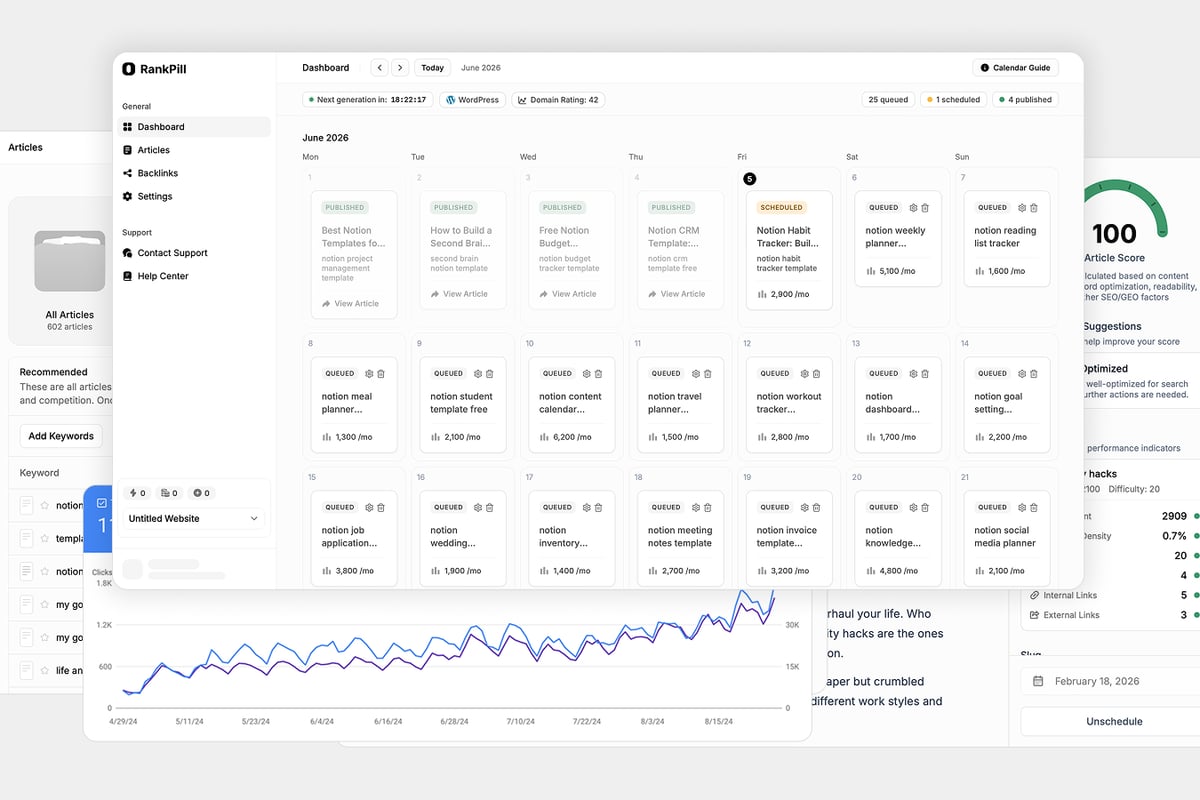
RankPill's automated SEO platform handles these technical configurations automatically while continuously monitoring for issues that could impact crawlability. This automation ensures your technical foundation remains solid as your site grows and evolves.
Performance and Speed Optimization
Search engines prioritize fast-loading websites in their rankings, making performance optimization a critical component of your SEO strategy. Your seo plug in wordpress should enhance speed rather than compromise it.
Plugin Performance Impact
Not all SEO plugins handle resources efficiently. Some add significant overhead through excessive database queries, bloated JavaScript files, or unoptimized CSS. Before committing to a plugin long-term, test its impact on your site speed using tools like Google PageSpeed Insights.
Performance considerations when selecting plugins:
- Database query efficiency and caching implementation
- JavaScript and CSS file size and loading methods
- External API calls and their frequency
- Image optimization features and compression quality
- CDN compatibility and integration options
Quality plugins implement lazy loading for their admin interfaces, loading resources only when needed rather than on every page load. This selective loading minimizes performance impact while maintaining full functionality.
Combining Plugins Strategically
Running multiple SEO plugins simultaneously often creates conflicts and degrades performance. However, complementary plugins serving different functions can work together effectively when chosen carefully.
Consider pairing your primary seo plug in wordpress with specialized tools for image optimization, caching, and security. These focused plugins often outperform all-in-one solutions in their specific domains while maintaining compatibility.
The WordPress website builder comparison demonstrates how platform choice affects plugin performance. Managed WordPress hosts often provide built-in caching and optimization that reduces plugin requirements.
Schema Markup and Rich Snippets
Structured data implementation represents one of the most valuable features modern SEO plugins offer. Schema markup helps search engines understand your content's context and purpose, enabling enhanced search result displays.
Understanding Schema Types
Different content types benefit from specific schema markup vocabularies. Article schema works best for blog posts, while product schema enhances e-commerce listings. Review schema generates star ratings in search results, significantly improving click-through rates.
Popular schema types and their applications:
- Article Schema: Blog posts, news articles, and editorial content
- Product Schema: E-commerce items with pricing and availability
- Review Schema: Customer testimonials and product ratings
- Recipe Schema: Cooking instructions with ingredients and timing
- Event Schema: Conferences, webinars, and local events
- FAQ Schema: Question-and-answer content formats
- How-To Schema: Step-by-step instructional content
Advanced plugins automatically detect content types and suggest appropriate schema markup. This automation ensures proper implementation without requiring technical knowledge of JSON-LD syntax or schema.org vocabularies.
Implementing Rich Snippets
Rich snippets transform standard search results into eye-catching displays that include additional information beyond titles and descriptions. These enhanced results earn significantly higher click-through rates by providing users with valuable information before they visit your site.
Your seo plug in wordpress should validate schema markup against Google's testing tools automatically. Invalid markup won't generate rich snippets and may confuse search engines about your content's purpose. Regular validation ensures your structured data continues working as search engines update their requirements.
Link Building and Internal Linking
Strategic link management strengthens your site's SEO foundation while improving user navigation. Quality SEO plugins provide tools for optimizing both internal and external linking strategies.
Internal Linking Automation
Internal links distribute authority throughout your website while helping users discover related content. Manual internal linking becomes impractical as your content library grows beyond a few dozen articles.
Modern plugins suggest relevant internal linking opportunities based on content similarity and keyword matching. These suggestions appear while you write, making it easy to add contextual links without searching through your entire content archive.
Internal linking best practices:
- Link from high-authority pages to newer content
- Use descriptive anchor text that indicates destination content
- Maintain a reasonable link density of 2-5 internal links per 1000 words
- Prioritize linking to cornerstone content and conversion pages
- Avoid excessive linking that disrupts reading flow
The automated suggestions save enormous time while ensuring comprehensive internal linking across your entire site. This consistency helps search engines understand your site structure and topical authority.
External Link Management
Outbound links to authoritative sources enhance your content's credibility and provide value to readers. Your plugin should help manage external links while preventing broken link issues that frustrate users and harm SEO.
Link monitoring features alert you when external links break or redirect unexpectedly. Regular checks prevent the accumulation of dead links that damage user experience and waste crawl budget.
Some plugins offer affiliate link management and cloaking features, though these require careful implementation to avoid appearing deceptive to search engines. Transparency remains essential when monetizing content through affiliate relationships.
Monitoring and Analytics Integration
Effective SEO requires continuous measurement and adjustment based on performance data. Your seo plug in wordpress should integrate seamlessly with analytics platforms to provide actionable insights.
Google Search Console Integration
Google Search Console provides critical data about how Google sees and ranks your website. Direct integration within your SEO plugin brings this data into your WordPress dashboard for convenient access.
Key metrics to monitor regularly:
- Search impressions and click-through rates
- Average position for target keywords
- Pages with indexing issues or errors
- Manual actions or security problems
- Mobile usability concerns
- Core Web Vitals performance
Integration enables automated alerts when problems arise, allowing quick responses to indexing errors, security issues, or ranking drops. This proactive monitoring prevents small issues from escalating into major traffic losses.
Tracking Content Performance
Understanding which content drives traffic and conversions helps inform future content strategy. Plugin analytics features should highlight top-performing articles, underperforming pages needing optimization, and content gaps representing opportunities.
Advanced tracking capabilities segment traffic by source, showing whether visitors arrive from organic search, social media, or referral links. This granular data reveals which marketing channels deserve increased investment.
For businesses managing content across multiple languages, tracking performance by language and region becomes essential. Quality plugins accommodate international SEO strategies with proper hreflang implementation and regional tracking.
Common Plugin Mistakes to Avoid
Even the best seo plug in wordpress can harm your rankings when misconfigured or misused. Understanding common pitfalls helps you avoid damaging mistakes while maximizing plugin effectiveness.
Configuration Errors
Default settings rarely suit every website perfectly. Failing to customize your plugin configuration for your specific needs leads to suboptimal performance and missed opportunities.
Frequent configuration mistakes include:
- Leaving title templates at default values instead of customizing for your brand
- Failing to set proper canonical URLs, creating duplicate content issues
- Neglecting to configure XML sitemap exclusions for low-value content
- Using default meta descriptions instead of crafting unique summaries
- Not setting up webmaster tools verification and integration
Another common error involves blocking search engines accidentally through improper robots.txt configuration or WordPress privacy settings. Always verify that your site remains accessible to search crawlers after making configuration changes.
Over-Optimization Penalties
SEO plugins make optimization so easy that users sometimes push recommendations too far. Keyword stuffing, excessive internal linking, and manipulative schema markup can all trigger search engine penalties.
Trust your judgment over plugin scores. A yellow or orange indicator doesn't necessarily mean your content will underperform. Focus on creating valuable content for human readers first, then optimize within reasonable limits.
The WordPress plugin security research highlights how poorly maintained plugins introduce vulnerabilities. Regular updates protect against security threats while ensuring compatibility with the latest WordPress version and search engine requirements.
Advanced Strategies for Maximum Impact
Once you've mastered basic plugin usage, advanced strategies unlock additional SEO advantages that separate top-performing sites from average competitors.
Multi-Site SEO Management
Organizations managing multiple WordPress sites benefit from centralized SEO control. Some enterprise plugins offer network-wide settings that apply consistent optimization rules across all properties simultaneously.
This centralization ensures brand consistency while reducing administrative overhead. Update meta templates, schema configurations, or redirect rules once rather than repeating changes across dozens of sites.
API Integration and Automation
Modern SEO workflows extend beyond individual plugins through API integrations connecting multiple tools. Your WordPress plugin can communicate with external platforms for enhanced capabilities.
Valuable API integrations include:
- Automatic keyword tracking and rank monitoring
- Backlink analysis and competitor research
- Content performance analytics across channels
- Social media scheduling coordinated with publication
- Email marketing list building from blog subscribers
Platforms like RankPill leverage API connections to automate the entire SEO content workflow, from keyword research through publication and promotion. This comprehensive automation scales SEO efforts without proportionally increasing team size or workload.
Custom Development Extensions
For unique requirements beyond standard plugin features, custom development creates tailored solutions. Many popular plugins provide hooks and filters that developers use to modify functionality without editing core plugin files.
Custom extensions might include specialized schema types for niche industries, proprietary ranking algorithms for content scoring, or integration with internal business systems. These customizations maintain compatibility with plugin updates while addressing specific business needs.
Future-Proofing Your WordPress SEO
Search engine algorithms evolve continuously, requiring adaptive SEO strategies that remain effective despite changing requirements. Your plugin selection and usage should account for emerging trends and future developments.
AI and Search Evolution
Artificial intelligence increasingly influences search results through personalization, intent understanding, and content quality assessment. Modern SEO plugins incorporate AI-powered features that adapt recommendations based on your specific content and audience.
The rise of AI search optimization changes how content should be structured and optimized. Voice search, featured snippets, and conversational queries require different optimization approaches than traditional keyword targeting.
Quality plugins update their algorithms regularly to reflect current search engine preferences. This continuous improvement ensures your optimization efforts remain aligned with what actually influences rankings today rather than yesterday's best practices.
Preparing for Algorithm Updates
Major algorithm updates can dramatically shift rankings overnight. While you can't predict specific changes, building a strong technical foundation and focusing on quality content provides resilience against most updates.
Future-proofing strategies:
- Prioritize user experience and content quality over manipulation
- Build diverse traffic sources beyond organic search alone
- Maintain regular content publication schedules
- Develop topical authority through comprehensive coverage
- Earn natural backlinks through valuable resources
- Monitor Core Web Vitals and mobile performance
- Implement proper security and privacy protections
The latest WordPress SEO plugin evaluations emphasize features supporting long-term success rather than quick ranking tricks. Sustainable SEO builds gradually through consistent effort and quality improvement.
Implementing an seo plug in wordpress represents a fundamental step toward search visibility and organic growth. The right plugin automates technical complexities while providing actionable guidance for content optimization, enabling even non-technical users to compete effectively in search results. RankPill takes this automation further by handling keyword research, content creation, and publication completely hands-off, allowing you to build organic traffic while focusing on your core business. Start optimizing smarter today and watch your search rankings climb consistently.