Squarespace SEO Tips: Optimize Your Site for Search

Modest Mitkus · May 22, 2026
Squarespace has established itself as a leading website builder for creatives, small businesses, and entrepreneurs who want beautiful design without technical complexity. While the platform handles much of the heavy lifting when it comes to technical SEO, understanding how to leverage its built-in features effectively can mean the difference between ranking on page one or languishing in obscurity. These squarespace seo tips will help you maximize your site's visibility in search engines and position your content for both traditional search and emerging AI-driven discovery platforms.
Understanding Squarespace's Built-In SEO Foundation
Squarespace provides a solid technical foundation that eliminates many common SEO headaches. The platform automatically generates sitemaps, creates clean URL structures, and implements responsive design across all templates. This means your site will perform well on mobile devices without additional configuration.
Squarespace's native SEO features include automatic SSL certificates, fast-loading templates optimized for Core Web Vitals, and structured data markup for certain content types. These technical elements form the backbone of any successful SEO strategy.
Technical SEO Advantages
The platform handles several critical technical components automatically:
- Automatic SSL certificates for secure HTTPS connections
- Mobile-responsive templates that adapt to any screen size
- Clean HTML markup that search engines can easily crawl
- Automatic sitemap generation and submission capabilities
- Fast server response times through Squarespace's hosting infrastructure
However, understanding what Squarespace handles automatically versus what requires your attention is crucial for implementing effective squarespace seo tips.

Optimizing Page Titles and Meta Descriptions
Page titles and meta descriptions represent your first opportunity to communicate with both search engines and potential visitors. These elements appear in search results and significantly impact click-through rates.
Crafting Effective Page Titles
Each page on your Squarespace site should have a unique, descriptive title that includes your primary keyword. Keep titles under 60 characters to prevent truncation in search results.
Navigate to the page settings in Squarespace and locate the SEO tab. The page title field is your most valuable real estate for keyword placement. Front-load important keywords while maintaining natural readability.
| Element | Optimal Length | Purpose |
|---|---|---|
| Page Title | 50-60 characters | Primary ranking signal and SERP display |
| Meta Description | 140-160 characters | Click-through rate optimization |
| URL Slug | 3-5 words | Keyword relevance and user experience |
Writing Meta Descriptions That Convert
Meta descriptions don't directly impact rankings, but they significantly influence whether users click your result. Write compelling descriptions that include your target keyword and a clear value proposition.
Use active voice and include a call to action when appropriate. For commercial pages, mention specific benefits or unique selling points that differentiate your offering from competitors.
Implementing Strategic Keyword Research
Effective keyword implementation starts with understanding what your target audience actually searches for. Generic, high-competition keywords rarely deliver results for new or small websites.
Keyword best practices emphasize relevance over volume. A keyword with 100 monthly searches that converts at 10% is more valuable than one with 10,000 searches that converts at 0.1%.
Focus on long-tail keywords that match specific user intent. These typically include three or more words and target users further along the buying journey. For example, "handmade ceramic coffee mugs Portland" targets a more qualified audience than simply "coffee mugs."
Keyword Placement Strategy
Once you've identified target keywords, strategic placement amplifies their impact:
- Include the primary keyword in your page title
- Use it naturally in the first 100 words of your content
- Incorporate variations throughout the body text
- Add it to image alt text where relevant
- Include it in at least one heading (H2 or H3)
Avoid keyword stuffing, which damages readability and can trigger search engine penalties. Natural language should always take priority over mechanical keyword insertion.
Optimizing URL Structure and Navigation
Clean, descriptive URLs help both search engines and users understand your content hierarchy. Squarespace allows you to customize URL slugs for every page, giving you control over this important ranking factor.
URL Best Practices
Keep URLs short, descriptive, and keyword-rich. Remove unnecessary words like "and," "the," or "of" that don't add semantic value. Use hyphens to separate words rather than underscores or spaces.
For blog posts, include the target keyword in the URL slug. For service pages, use descriptive phrases that match user search intent. Avoid changing URLs after publication, as this breaks existing links and can harm rankings.
Navigation structure also plays a crucial role in SEO. Organize your site into logical categories with clear hierarchies. Every page should be accessible within three clicks from the homepage.
Content Quality and Depth
Search engines increasingly prioritize comprehensive, authoritative content that thoroughly answers user queries. Thin, superficial content rarely ranks well in competitive niches.
Creating Comprehensive Content
Aim for depth over breadth. A single 2,000-word article that comprehensively covers a topic typically outperforms five 400-word posts on related subjects.
Include multiple content formats within your pages:
- Text sections with clear headings and subheadings
- Bullet lists for scannable information
- Tables for comparisons or data
- Images with descriptive alt text
- Videos when they enhance understanding
Structure content with user experience in mind. Use short paragraphs, clear headings, and white space to improve readability. The longer users stay engaged with your content, the stronger the quality signals sent to search engines.
Understanding how AI and content marketing intersect helps you create material optimized for both traditional search and emerging AI discovery platforms. Content that answers questions directly and provides structured information performs well across all search contexts.
Image Optimization for Search Visibility
Images enhance user experience but can slow page load times if not properly optimized. Squarespace automatically compresses images, but you control several important SEO elements.
Alt Text and File Names
Always add descriptive alt text to images. This serves two purposes: accessibility for visually impaired users and additional context for search engines. Include relevant keywords naturally in alt text without stuffing.
Before uploading, rename image files with descriptive names. Instead of "IMG_1234.jpg," use "blue-ceramic-coffee-mug.jpg." This provides additional keyword context.
| Image Element | SEO Impact | Best Practice |
|---|---|---|
| File Name | Low-moderate | Use descriptive, keyword-rich names |
| Alt Text | Moderate-high | Describe image content naturally |
| File Size | High | Compress before upload (under 500KB) |
| Format | Moderate | Use WebP or JPEG for photos, PNG for graphics |
Squarespace's automatic image compression helps, but uploading appropriately sized images prevents unnecessary processing and improves initial load times.
Leveraging Squarespace's Blog for SEO
The blog functionality in Squarespace provides excellent opportunities for targeting long-tail keywords and building topical authority. Regular publishing signals to search engines that your site remains active and relevant.
Blog Strategy and Structure
Develop a content calendar focused on topics your target audience actively searches for. Each post should target a specific keyword or question while naturally connecting to your broader business objectives.
Use categories and tags strategically to organize content and create topical clusters. This internal organization helps search engines understand your content relationships and can boost rankings for related terms.
Include a clear call-to-action in every blog post. Whether directing readers to a product page, service offering, or email signup, intentional conversion paths maximize the value of organic traffic.
The Squarespace SEO checklist provides additional guidance on blog optimization specific to the platform's features and limitations.
Building Internal Links Throughout Your Site
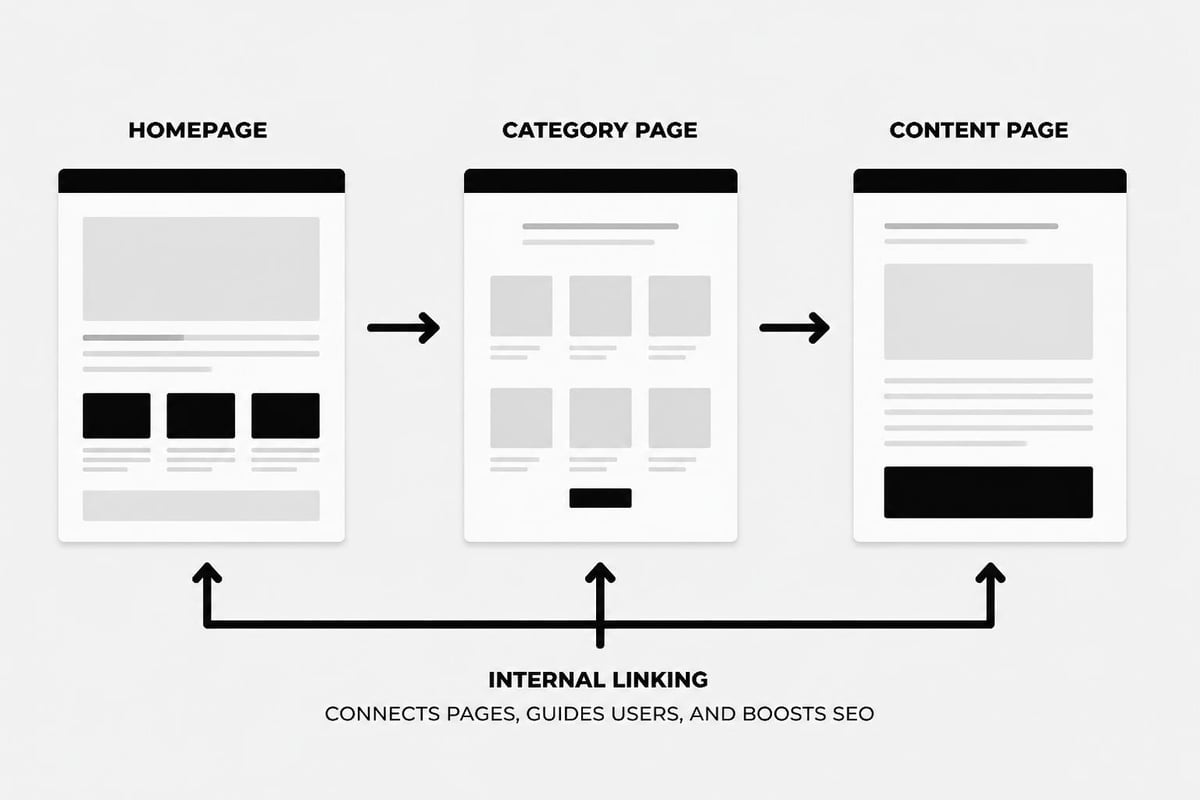
Internal linking distributes page authority across your site and helps search engines discover and index content. Strategic internal links also guide users through your content and toward conversion goals.
Internal Linking Strategy
Link from high-authority pages (like your homepage) to important service or product pages. Use descriptive anchor text that includes relevant keywords rather than generic phrases like "click here."
Create content hubs where a pillar page covers a broad topic and links to multiple detailed articles on specific subtopics. This structure demonstrates topical authority and improves rankings across related keywords.
When publishing new content, identify 3-5 existing pages where contextual links make sense. Similarly, review older content periodically to add links to newer material. This ongoing maintenance keeps your internal link structure robust and current.
Optimizing for Local SEO
For businesses serving specific geographic areas, local SEO optimization can dramatically improve visibility for location-based searches. Squarespace includes features specifically designed for local businesses.
Location Pages and Schema Markup
Create dedicated location pages for each area you serve. Include the city or region name in page titles, headings, and throughout the content naturally. Provide specific information about services, hours, or offerings unique to each location.
Squarespace automatically implements some structured data, but you can enhance this with location-specific information. Add your complete business address, phone number, and hours prominently on contact pages.
Claim and optimize your Google Business Profile, ensuring the website URL points to your Squarespace site. Consistency between your Google listing and website information strengthens local ranking signals.
Mobile Optimization and Core Web Vitals
Google's mobile-first indexing means the mobile version of your site determines rankings. Squarespace templates are inherently responsive, but you should verify mobile performance regularly.
Testing Mobile Performance
Use Google's Mobile-Friendly Test tool to verify your pages render correctly on mobile devices. Check that buttons are easily tappable, text is readable without zooming, and navigation works intuitively on smaller screens.
Core Web Vitals measure user experience through specific metrics:
- Largest Contentful Paint (LCP): Page loading speed
- First Input Delay (FID): Interactivity responsiveness
- Cumulative Layout Shift (CLS): Visual stability
Squarespace's optimized infrastructure helps with these metrics, but excessive custom code or large uncompressed images can create problems. Monitor your Core Web Vitals through Google Search Console and address any issues promptly.

Connecting Google Search Console
Google Search Console provides invaluable data about how your site performs in search results. Connecting your Squarespace site allows you to monitor rankings, identify technical issues, and submit sitemaps.
Setting Up Search Console
Verify your Squarespace site in Google Search Console using the URL prefix method. Add your verification code to the SEO section of your Squarespace settings under Google Search Console verification.
Once verified, submit your sitemap. Squarespace automatically generates a sitemap at yourdomain.com/sitemap.xml. This helps Google discover and index your pages more efficiently.
Monitor the Performance report to see which queries drive traffic, your average position for target keywords, and click-through rates. Use this data to refine your squarespace seo tips implementation and identify new content opportunities.
Check the Coverage report regularly for indexing errors. Address any crawl issues, 404 errors, or blocked pages that prevent search engines from accessing your content.
Creating SEO-Friendly Content at Scale
Consistently publishing high-quality content remains one of the most effective squarespace seo tips for long-term growth. However, maintaining a regular publishing schedule challenges many businesses.
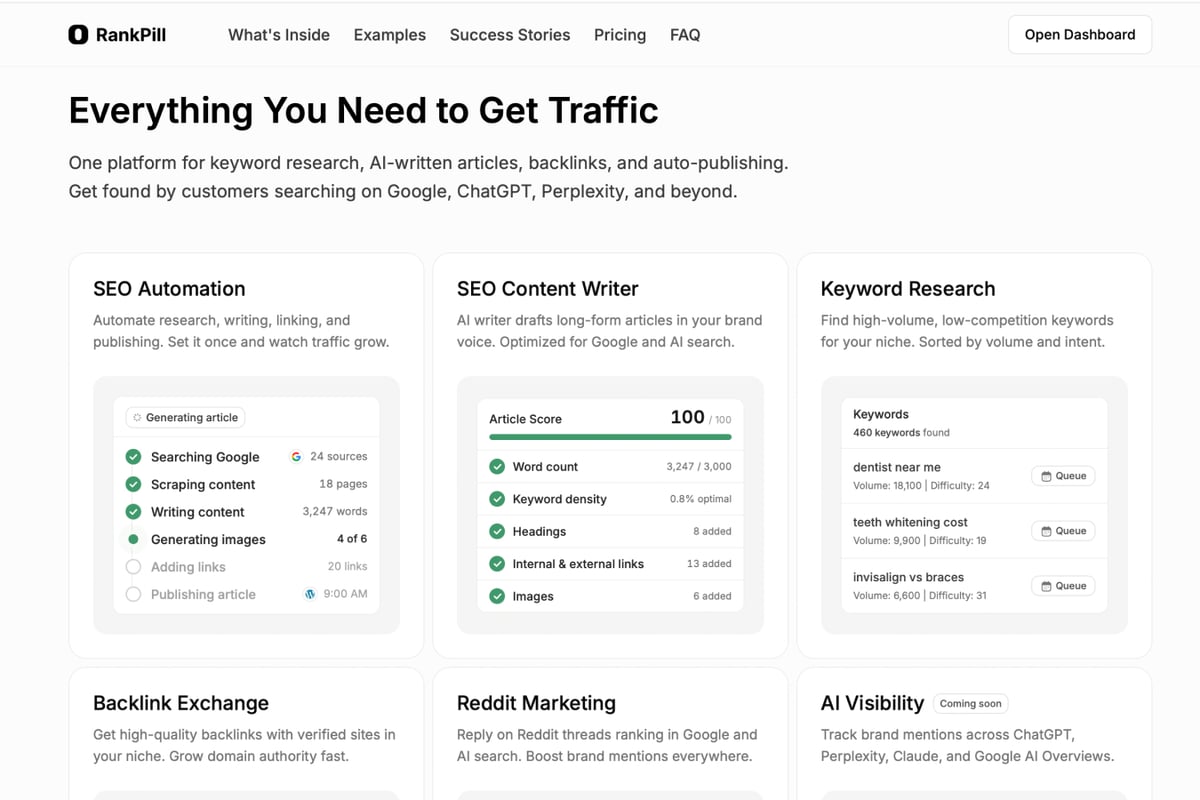
Modern SEO automation tools can help bridge this gap while maintaining quality standards. When you need to scale content production without sacrificing optimization, leveraging AI-driven platforms designed for search visibility makes strategic sense.
SEO automation enables businesses to maintain consistent publishing schedules while ensuring every piece of content follows SEO best practices from keyword research through internal linking. This approach works particularly well for businesses building topical authority across multiple content clusters.
Optimizing Category and Tag Pages
Category and tag pages in Squarespace blogs often get overlooked but represent valuable ranking opportunities. These pages naturally target broader keywords and can attract significant traffic when properly optimized.
Category Page Optimization
Write unique descriptions for each category rather than relying on automatically generated content. Include the category keyword in the title, URL, and description naturally.
Limit the number of categories to maintain focus. Five to ten well-defined categories typically work better than twenty fragmented ones. Each category should contain at least three to five posts to establish sufficient topical depth.
Tag pages should support your category structure rather than duplicating it. Use tags for cross-cutting themes that span multiple categories or for specific features, techniques, or use cases.
Building Quality Backlinks
While Squarespace seo tips focus heavily on on-page optimization, backlinks remain crucial for ranking competitively. Quality links from relevant, authoritative sites signal trustworthiness to search engines.
Ethical Link Building Strategies
Focus on creating genuinely valuable content that others want to reference. Comprehensive guides, original research, and unique insights naturally attract links over time.
Guest posting on relevant industry blogs can build both links and brand awareness. Ensure the sites you contribute to maintain editorial standards and serve similar audiences.
Participating in industry directories and resource pages provides relevant contextual links. Focus on quality directories specific to your niche rather than general web directories with minimal editorial oversight.
Understanding the difference between organic search vs paid search helps you appreciate why building sustainable backlink profiles matters for long-term visibility.
Monitoring and Measuring SEO Performance
Implementing squarespace seo tips without measuring results leaves you guessing about effectiveness. Establish clear metrics and monitor them consistently to guide ongoing optimization.
Key Performance Indicators
Track these essential metrics monthly:
- Organic traffic volume from Google Analytics
- Keyword rankings for target terms
- Click-through rates from Search Console
- Page load speed from PageSpeed Insights
- Conversion rates from organic traffic
Set realistic goals based on your starting point and industry competitiveness. SEO delivers cumulative results over months, not days. Expect to see initial movement in 3-4 months and more substantial results after 6-12 months of consistent effort.
Document changes you make and their impact on performance. This creates a knowledge base for understanding what works for your specific site and audience.
Addressing Common Squarespace SEO Limitations
While Squarespace provides solid SEO foundations, certain limitations exist compared to more customizable platforms like WordPress. Understanding these constraints helps you work within them effectively.
Platform Constraints
Squarespace limits some advanced technical SEO capabilities. You cannot directly edit robots.txt beyond basic settings, and schema markup options are more limited than with dedicated SEO plugins.
URL structure for blog posts follows a set pattern that includes the publication date by default. While you can customize the slug, the date remains part of the URL structure unless you use specific workarounds.
E-commerce product pages have fixed templates with limited customization for SEO elements. Work within these constraints by maximizing the fields Squarespace provides rather than attempting complex modifications that might break with platform updates.
Optimizing for Voice Search and AI Discovery
Voice search and AI-powered search engines like ChatGPT represent growing sources of organic traffic. Optimizing for these channels requires slight adjustments to traditional squarespace seo tips.
Conversational Content Structure
Voice searches tend to be longer and more conversational than typed queries. Include question-based headings that match natural speech patterns: "How do I optimize images on Squarespace?" rather than "Image Optimization Techniques."
Provide direct, concise answers to common questions early in your content. AI search engines often pull featured snippet-style responses, so structuring information clearly improves visibility in these contexts.
Strategies for increasing your site's visibility to search engines apply equally to AI discovery platforms, as both prioritize comprehensive, well-structured content that directly addresses user intent.
Implementing Schema Markup
Schema markup helps search engines understand your content context and can enable rich snippets in search results. Squarespace includes basic schema automatically, but you can enhance this for specific content types.
Available Schema Options
Squarespace automatically implements Organization and WebSite schema on your homepage. For blog posts, Article schema is added automatically, including publication date and author information.
You can add custom schema through code injection for specific pages if needed. Focus on schema types most relevant to your business: LocalBusiness for physical locations, Product for e-commerce items, or FAQ for question-based content.
Test your schema implementation using Google's Rich Results Test tool. This verifies that search engines can properly parse your structured data and identifies any errors requiring correction.
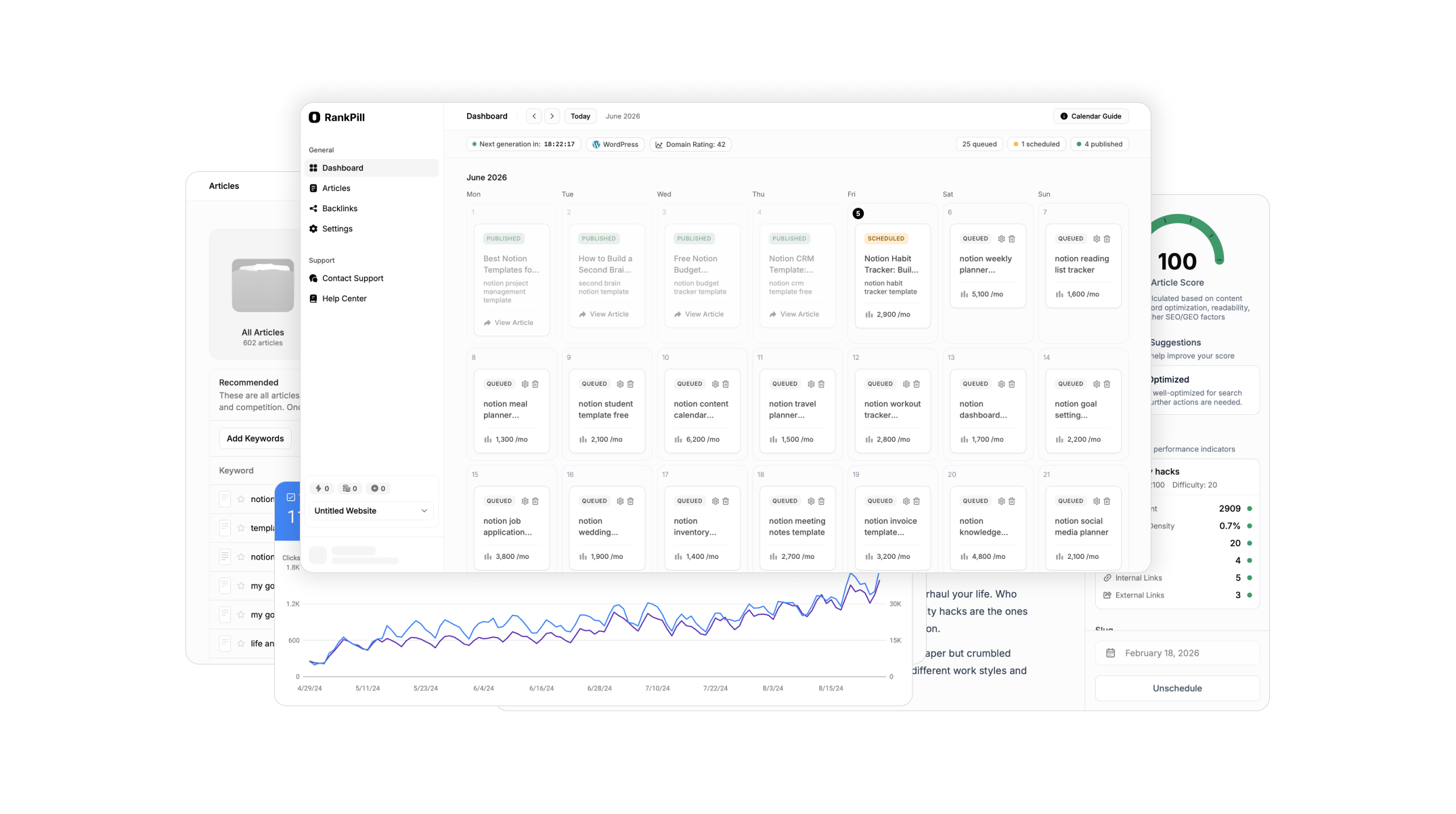
Implementing these squarespace seo tips systematically will improve your site's search visibility and drive more qualified organic traffic to your business. While Squarespace handles many technical elements automatically, strategic optimization of content, keywords, and site structure makes the difference between adequate and exceptional search performance. If maintaining consistent, SEO-optimized content feels overwhelming, RankPill automates the entire process from keyword research through publishing, helping you build organic visibility without constant manual effort.
Unlock Traffic on Autopilot
Grow organic traffic on autopilot. RankPill will research, write, optimize, and publish articles to your website daily.