
Webflow SEO Tools: Complete Guide for 2026

Modest Mitkus
March 25, 2026
Webflow has emerged as a powerful platform for businesses and designers who want complete control over their website's design and functionality. However, building a visually stunning site means little without proper search engine optimization. Understanding which webflow seo tools are available and how to leverage them effectively can make the difference between a website that attracts organic traffic and one that remains invisible to search engines. In 2026, the SEO landscape continues to evolve with AI-powered features and automation becoming standard expectations, making it crucial to know which tools integrate seamlessly with Webflow and deliver measurable results.
Understanding Webflow's Built-In SEO Capabilities
Webflow distinguishes itself from many website builders through its comprehensive native SEO features that eliminate the need for extensive plugin installations. Webflow's SEO features include automated metadata management, schema markup controls, and AI-powered audits that help identify optimization opportunities before they impact rankings.
The platform generates clean, semantic HTML code that search engine crawlers can easily interpret. This architectural advantage means your site structure naturally supports SEO best practices without requiring technical modifications. Every element you create in Webflow's visual editor translates into properly structured code that search engines reward.
Native Meta Management
Webflow provides granular control over title tags, meta descriptions, and Open Graph settings for every page. You can customize these elements directly within the page settings panel, ensuring each page presents optimized information to search engines and social platforms.
- Dynamic meta fields that pull from CMS content
- Character count indicators to prevent truncation in search results
- Preview modes showing how pages appear in Google and social shares
- Automatic canonical URL generation to prevent duplicate content issues
The platform also supports custom code injection in the header and footer, allowing you to add schema markup, analytics scripts, and other SEO-critical elements without touching the core codebase.

Essential Third-Party Webflow SEO Tools
While Webflow's native features provide a solid foundation, third-party webflow seo tools extend functionality for advanced optimization strategies. These integrations fill gaps in analytics, keyword research, and automated content optimization that native features don't address.
FluidSEO: AI-Powered Metadata Automation
FluidSEO represents the new generation of Webflow SEO applications that leverage artificial intelligence to streamline optimization tasks. This tool automatically generates optimized metadata, alt text for images, and schema markup based on your page content.
| Feature | Benefit | Time Saved |
|---|---|---|
| Auto metadata generation | SEO-optimized titles and descriptions | 80% per page |
| Bulk alt text creation | Improved accessibility and image SEO | 90% for image-heavy sites |
| Schema automation | Enhanced rich snippets | 100% vs. manual coding |
| Multi-language support | Global SEO consistency | 75% for international sites |
The tool integrates directly into your Webflow workspace, analyzing content semantics and competitor strategies to produce metadata that aligns with current ranking factors. This automation becomes particularly valuable for large sites with hundreds of pages or e-commerce catalogs.
Advanced Crawling with Screaming Frog
Screaming Frog SEO Spider remains an essential tool for comprehensive site audits, even on Webflow platforms. This desktop application crawls your entire site structure, identifying technical issues that could impact search performance.
The tool excels at detecting broken links, analyzing page titles and descriptions at scale, reviewing redirect chains, and extracting structured data for validation. For Webflow sites specifically, it helps verify that your visual designs translate into crawlable, indexable code structures.
Competitive Analysis Tools for Webflow Sites
Understanding your competitive landscape drives informed SEO strategy decisions. Several webflow seo tools focus specifically on analyzing what competitors rank for and how you can capture similar visibility.
SpyFu provides deep insights into competitor keyword strategies, including both organic and paid search performance. You can identify which keywords drive traffic to similar Webflow sites in your industry, then target those same terms with superior content.
The platform tracks keyword rankings over time, showing seasonal fluctuations and emerging trends. This historical data helps predict when certain topics gain traction, allowing you to prepare content in advance. For businesses using AI SEO platforms, this competitive intelligence feeds directly into automated content strategies.
Keyword Research Methodologies
Effective keyword targeting starts with understanding search intent and competition levels. The best approach combines multiple data sources:
- Analyze competitor sites using SpyFu or similar tools to identify their top-performing keywords
- Evaluate search volume trends to focus on growing rather than declining search terms
- Assess keyword difficulty scores to balance quick wins with long-term authority building
- Map keywords to content types ensuring alignment between search intent and page format
- Monitor ranking changes to validate which optimization efforts produce results
This systematic approach ensures your Webflow site targets keywords that actually drive qualified traffic rather than vanity metrics that don't convert.

SEO Performance Monitoring and Analytics
Measuring SEO success requires integrating analytics platforms that track both technical performance and user engagement metrics. Google Analytics 4 and Google Search Console form the foundation, but additional webflow seo tools provide specialized insights.
Google Search Console Integration
Connecting your Webflow site to Search Console provides direct feedback from Google about how they view your site. You'll see which queries trigger impressions and clicks, identify crawl errors that need resolution, and monitor Core Web Vitals scores that impact rankings.
The Performance report reveals opportunities where you rank on page two or three for valuable keywords. These represent low-hanging fruit where minor optimizations could push you into high-visibility positions. Similarly, the Coverage report identifies indexing issues that prevent pages from appearing in search results at all.
Page Speed Optimization Tools
Site speed directly influences both rankings and user experience. Tools like PageSpeed Insights, GTmetrix, and WebPageTest provide actionable recommendations for improving load times on Webflow sites.
- Optimize and compress images before uploading to Webflow
- Leverage Webflow's built-in lazy loading for images
- Minimize custom code and third-party scripts
- Use Webflow's CDN effectively by enabling asset optimization
- Implement proper caching headers through hosting settings
According to industry evaluations, Webflow's infrastructure already provides performance advantages through global CDN distribution and automatic asset optimization, but proper configuration remains essential.
Content Optimization Tools for Webflow
Creating SEO-friendly content requires more than just keyword placement. Modern webflow seo tools analyze content comprehensiveness, readability, and semantic relevance to help you produce articles that satisfy both search engines and human readers.
On-Page Content Analysis
Several platforms offer real-time content optimization as you write. These tools compare your content against top-ranking pages for target keywords, suggesting related terms, optimal content length, and structural improvements.
The best tools integrate with Webflow's CMS, allowing content creators to optimize blog posts and articles without leaving the platform. They evaluate factors like header tag usage, keyword density, internal linking opportunities, and content depth compared to competitors.
For businesses focused on scaling organic SEO, these optimization tools help maintain quality standards across large content volumes. They ensure every published article meets baseline SEO requirements before going live.
Automated Content Solutions
AI-powered platforms now handle significant portions of content creation and optimization workloads. RankPill represents this new category of automated SEO tools, researching keywords, generating optimized articles, and publishing directly to Webflow sites without manual intervention.
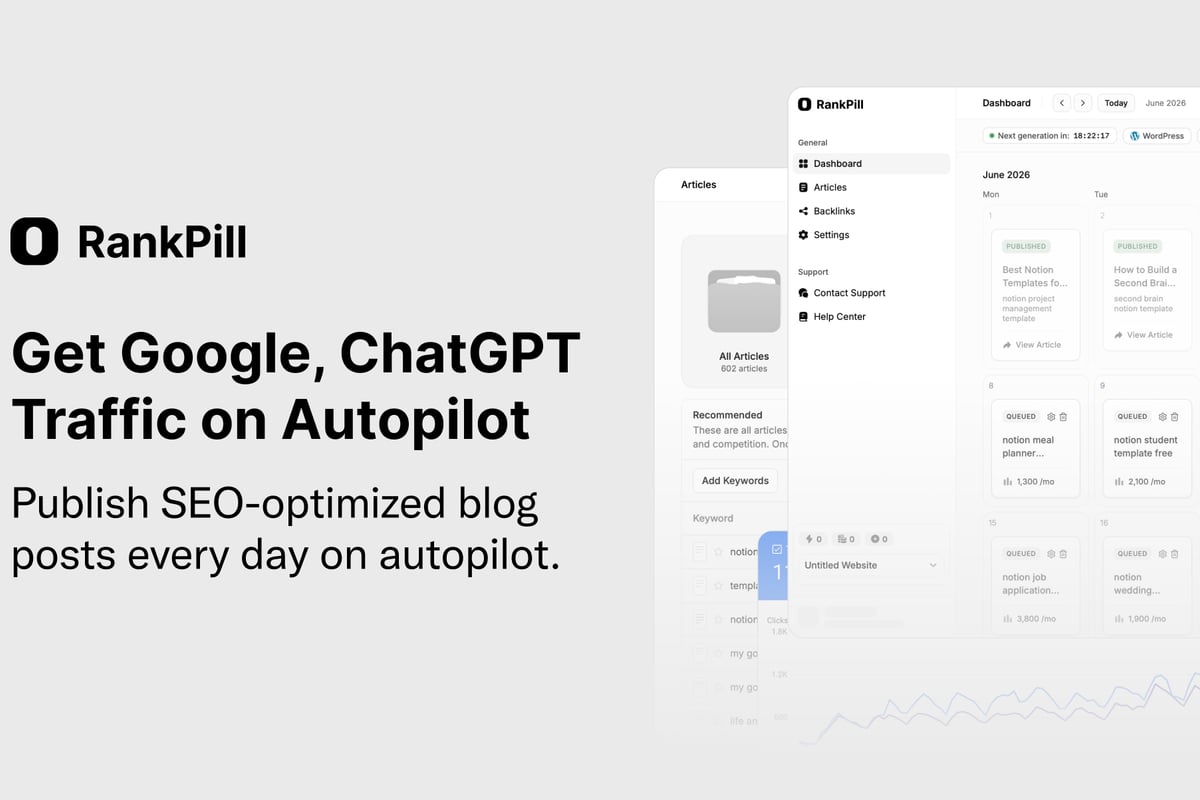
This automation proves particularly valuable for businesses that need consistent publishing schedules but lack dedicated content teams. The platform handles everything from keyword research through publication, maintaining SEO best practices at scale.
Technical SEO Considerations for Webflow
Beyond content and keywords, technical SEO factors significantly impact how search engines crawl, index, and rank your Webflow site. Understanding platform-specific considerations helps you avoid common pitfalls.
Site Structure and Navigation
Webflow allows complete control over site architecture, but this freedom requires strategic planning. Search engines favor clear hierarchies where important pages sit no more than three clicks from the homepage.
| Best Practice | Implementation in Webflow | SEO Impact |
|---|---|---|
| Logical URL structure | Use folders and clean slugs | High - improves crawlability |
| Internal linking | Link related content in CMS templates | High - distributes page authority |
| XML sitemap | Auto-generated, customizable | Medium - aids discovery |
| Breadcrumb navigation | Custom components with schema | Medium - enhances user experience |
The platform's CMS Collections feature enables powerful internal linking strategies. You can create reference fields that automatically link related blog posts, products, or services, building a semantic web that helps search engines understand content relationships.
Mobile Optimization
Webflow's responsive design capabilities ensure your site adapts to different screen sizes, but optimal mobile SEO requires intentional configuration. Google's mobile-first indexing means the mobile version of your site determines rankings for all devices.
Test your Webflow site using Google's Mobile-Friendly Test tool to identify issues like text too small to read, clickable elements too close together, or content wider than the screen. The platform's visual editor makes fixing these problems straightforward through responsive breakpoint controls.

Schema Markup and Structured Data
Schema markup helps search engines understand content context, enabling enhanced search results like rich snippets, knowledge panels, and featured snippets. Webflow supports schema implementation through custom code or specialized apps.
Common Schema Types for Webflow Sites
Different content types benefit from specific schema markup formats. E-commerce sites need Product schema with pricing and availability data. Local businesses require LocalBusiness schema with address and contact information. Blogs benefit from Article schema that can trigger rich snippets in search results.
You can add schema markup manually through custom HTML embeds or use Webflow apps that generate structured data automatically based on CMS content. The latter approach reduces errors and ensures consistency across pages.
Validating schema implementation through Google's Rich Results Test prevents errors that could prevent rich snippet eligibility. This tool shows exactly how Google interprets your structured data and highlights any formatting problems.
Integrating Webflow with Enterprise SEO Stacks
For larger organizations, webflow seo tools must integrate with existing marketing technology ecosystems. API connections, webhooks, and third-party platforms extend Webflow's capabilities for enterprise needs.
Marketing Automation Integration
Connecting Webflow to platforms like HubSpot, Marketo, or Pardot enables sophisticated lead tracking and attribution. You can monitor how organic search traffic progresses through sales funnels, calculating precise ROI for SEO investments.
These integrations also support personalized content experiences based on visitor behavior, industry, or company size. While primarily focused on conversion optimization, personalization also impacts SEO through improved engagement metrics like time on site and pages per session.
Multi-Site Management
Enterprises often manage multiple Webflow sites for different brands, regions, or product lines. Centralized monitoring tools track performance across properties, identifying optimization opportunities and technical issues at scale.
Consider using comprehensive SEO platforms that support multi-site tracking, consolidated reporting, and centralized keyword ranking monitoring. These enterprise-grade solutions provide executive dashboards showing SEO performance across your entire digital portfolio.
Webflow vs. WordPress SEO Capabilities
The comparison between Webflow and WordPress for SEO reveals different strengths suited to distinct use cases. WordPress offers more extensive plugin ecosystems and greater flexibility for custom functionality, while Webflow provides cleaner code output and better performance out of the box.
Plugin Dependency Differences
WordPress SEO relies heavily on plugins like Yoast, Rank Math, or All in One SEO. These tools add functionality WordPress lacks natively but introduce complexity, compatibility concerns, and potential performance impacts.
Webflow incorporates essential SEO features natively, reducing dependency on third-party extensions. This architectural difference means fewer potential points of failure and more predictable site performance.
However, WordPress's plugin ecosystem also means solutions exist for virtually any SEO need, while Webflow's app marketplace remains smaller and more curated.
Emerging AI Features in Webflow SEO Tools
Artificial intelligence continues reshaping how we approach search optimization. Webflow's recent AI initiatives demonstrate the platform's commitment to incorporating machine learning across design, content, and optimization workflows.
AI-powered webflow seo tools now handle tasks that previously required extensive manual effort. Content generation, metadata optimization, image alt text creation, and even strategic recommendations increasingly rely on machine learning models trained on successful SEO patterns.
For businesses exploring SEO with AI, these capabilities represent opportunities to maintain competitive advantages without proportionally scaling teams. The most effective strategies combine AI automation for routine tasks with human expertise for strategic decision-making.
Predictive SEO Analytics
Advanced analytics platforms now forecast ranking changes based on algorithm updates, competitor activity, and content performance trends. These predictive insights help you prioritize optimization efforts on pages most likely to benefit from improvements.
Machine learning models identify patterns in your historical data, predicting which content types, topics, or keyword strategies will drive future growth. This forward-looking approach shifts SEO from reactive problem-solving to proactive opportunity capture.
Local SEO Tools for Webflow Sites
Businesses serving specific geographic markets need specialized webflow seo tools focused on local search visibility. Google Business Profile optimization, local citation management, and location-specific content all contribute to local rankings.
Webflow's flexibility allows you to create location-specific landing pages with unique content, schema markup, and optimization for each market. CMS Collections can manage multiple locations, automatically generating optimized pages with consistent formatting but unique local information.
Tools like BrightLocal, Moz Local, and Whitespark help manage citations across directories, monitor local rankings, and track review signals. While these platforms don't integrate directly with Webflow, they complement your site optimization by building off-site authority signals.
E-Commerce SEO Tools for Webflow Stores
Webflow's e-commerce capabilities support sophisticated online stores, but product SEO requires specialized attention. Product schema, user-generated reviews, dynamic pricing, and inventory status all influence search visibility.
Product Page Optimization
Each product page represents an opportunity to rank for commercial intent keywords. Optimize product titles, descriptions, and images with target keywords while maintaining natural, compelling copy that drives conversions.
- Use descriptive, keyword-rich product titles
- Write unique descriptions for each product (avoid manufacturer copy)
- Implement Product schema with pricing, availability, and review data
- Optimize product images with descriptive filenames and alt text
- Create collection pages that target category-level keywords
Dynamic elements like stock status and pricing can incorporate into schema markup, keeping search engines informed about product availability without manual updates.
Measuring SEO ROI from Webflow Investments
Justifying SEO investments requires demonstrating clear returns through increased traffic, improved rankings, and ultimately revenue growth. Connect your webflow seo tools to analytics platforms that track the complete customer journey from search query to conversion.
Calculate metrics like:
- Organic traffic growth month-over-month and year-over-year
- Keyword ranking improvements for target terms
- Conversion rate from organic search compared to other channels
- Revenue attributed to organic search using multi-touch attribution
- Cost per acquisition for organic traffic versus paid channels
For businesses implementing automated SEO strategies, tracking efficiency gains becomes equally important. Measure how much time automation saves on content creation, optimization, and publication while maintaining or improving quality standards.
Common Webflow SEO Mistakes to Avoid
Even with excellent webflow seo tools, implementation errors can undermine your optimization efforts. Understanding common pitfalls helps you avoid ranking obstacles.
Over-Reliance on Design at Expense of Content
Webflow attracts design-focused users who sometimes prioritize aesthetics over SEO fundamentals. Beautiful layouts mean little if pages lack substantial, keyword-optimized content that search engines can evaluate and rank.
Balance visual appeal with content depth. Ensure every page provides genuine value through comprehensive information, not just impressive animations or complex interactions that search engines can't interpret.
Neglecting Mobile Experience
Despite Webflow's responsive capabilities, poorly configured breakpoints can create mobile experiences that hurt rankings. Test thoroughly across devices, ensuring text remains readable, buttons stay clickable, and navigation works intuitively on small screens.
Ignoring Site Speed
Complex animations, large unoptimized images, and excessive custom code can slow Webflow sites significantly. Regular performance audits identify bottlenecks, and comprehensive SEO evaluations help maintain competitive loading speeds.
Future Trends in Webflow SEO Tools
The SEO landscape continues evolving with advancements in AI search, voice queries, and visual search technologies. Webflow users need tools that adapt to these emerging ranking factors while maintaining fundamentals.
Expect increased integration between Webflow and AI platforms that optimize for generative engine optimization, ensuring your content appears in ChatGPT responses and other AI-generated answers. Tools focusing on AI ranking factors will become essential as search behavior shifts toward conversational queries and AI-mediated results.
The most successful webflow seo tools in 2026 and beyond will combine traditional ranking factors with emerging signals like content freshness, expertise indicators, and multi-modal optimization across text, images, and video formats.
Mastering webflow seo tools requires understanding both the platform's native capabilities and the ecosystem of third-party integrations that extend functionality. Whether you're optimizing through manual implementation or leveraging automation, the key lies in consistent application of SEO best practices across your entire site. RankPill streamlines this process by automating keyword research, content creation, and publication directly to your Webflow site, ensuring your SEO strategy runs continuously without constant manual oversight. Start building organic traffic today with intelligent automation that scales with your business.