
WordPress SEO Checklist: 2026 Complete Guide

Modest Mitkus
March 24, 2026
WordPress powers over 40% of all websites on the internet, making it the most popular content management system for businesses and bloggers alike. However, simply building a WordPress site doesn't guarantee search engine visibility or organic traffic. A systematic wordpress seo checklist ensures your site is properly configured to rank well in search results and attract the right audience. Whether you're launching a new site or optimizing an existing one, following a structured approach to WordPress SEO can dramatically improve your search rankings and drive sustainable growth.
Foundation: Technical WordPress SEO Setup
Your WordPress site's technical foundation determines how search engines crawl, index, and rank your content. Before diving into content creation, you need to ensure your site is technically sound.
Choose an SEO-Friendly Hosting Provider
Hosting quality directly impacts your site's speed, uptime, and security-all ranking factors Google considers. A reliable hosting provider ensures your WordPress site loads quickly and remains accessible to both users and search engine crawlers. When evaluating hosting options, prioritize providers that offer solid-state drives (SSDs), content delivery networks (CDNs), and automatic backups. Many WordPress SEO guides emphasize hosting as a critical first step in your optimization journey.
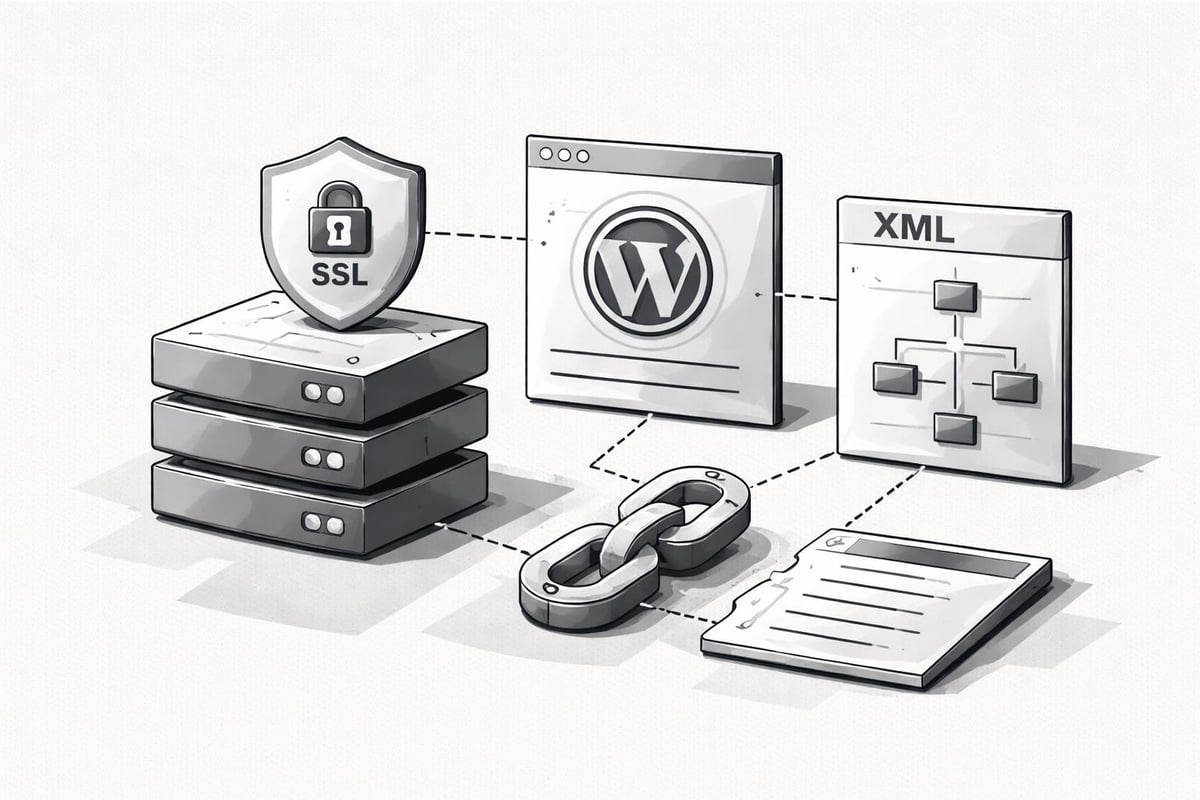
Install an SSL Certificate
Security is non-negotiable in 2026. Google explicitly uses HTTPS as a ranking signal, and browsers now warn users when visiting non-secure sites. Installing an SSL certificate ensures data transmitted between your server and visitors remains encrypted. Most quality hosting providers offer free SSL certificates through Let's Encrypt, making this an easy checkbox on your wordpress seo checklist.
Configure Permalink Structure
WordPress allows you to customize your URL structure through permalink settings. Navigate to Settings > Permalinks and select a structure that includes your post name. Avoid default numeric permalinks-they provide no context to users or search engines about your content. The Post name option creates clean, readable URLs that incorporate your target keywords naturally.
| Permalink Type | Example | SEO Value |
|---|---|---|
| Plain | ?p=123 | Poor |
| Day and name | /2026/03/24/post-name | Moderate |
| Post name | /post-name | Excellent |
| Custom Structure | /category/post-name | Excellent |
Install Essential SEO Plugins
While WordPress provides basic SEO functionality, dedicated plugins expand your optimization capabilities significantly. Popular options include Yoast SEO, Rank Math, and All in One SEO Pack. These plugins help you:
- Create XML sitemaps automatically
- Optimize meta titles and descriptions
- Generate schema markup
- Control indexing preferences
- Monitor internal linking
Choose one comprehensive SEO plugin and configure it properly rather than installing multiple competing tools that may conflict.
Keyword Research and Content Strategy
Technical setup establishes your foundation, but content drives organic traffic. A data-driven keyword strategy ensures you're creating content that matches search intent and attracts qualified visitors.
Conduct Comprehensive Keyword Research
Effective keyword research identifies terms your target audience actively searches for. Start by brainstorming seed keywords related to your business, products, or services. Then expand your list using keyword research tools to discover:
- Search volume: How many monthly searches each term receives
- Keyword difficulty: How competitive each term is
- Search intent: Whether users want information, navigation, or transactions
- Related questions: What specific problems users need solved
Understanding how to get competitor keywords provides valuable insights into gaps in your content strategy and opportunities your competitors may be missing.
Map Keywords to Content Types
Not every keyword requires a dedicated blog post. Your wordpress seo checklist should include a content mapping strategy that assigns keywords to appropriate page types:
- Homepage: Brand terms and primary business keywords
- Service pages: Transactional keywords with commercial intent
- Blog posts: Informational keywords and long-tail variations
- Category pages: Broader topical keywords
- Product pages: Specific product-related search terms
This strategic approach ensures each page targets specific keywords without cannibalization.
Create High-Quality, Optimized Content
Content quality remains the most significant ranking factor. Your wordpress seo checklist must prioritize creating comprehensive, valuable content that satisfies user intent. Each piece should:
- Address the search query completely
- Provide unique insights or perspectives
- Include relevant examples and data
- Maintain proper formatting and readability
- Incorporate target keywords naturally
The shift toward AI SEO platforms has made content creation more efficient, allowing businesses to maintain consistent publishing schedules while ensuring quality remains high.
On-Page SEO Optimization
On-page optimization ensures search engines understand your content's topic, relevance, and value. This section of your wordpress seo checklist focuses on individual page elements.
Optimize Title Tags and Meta Descriptions
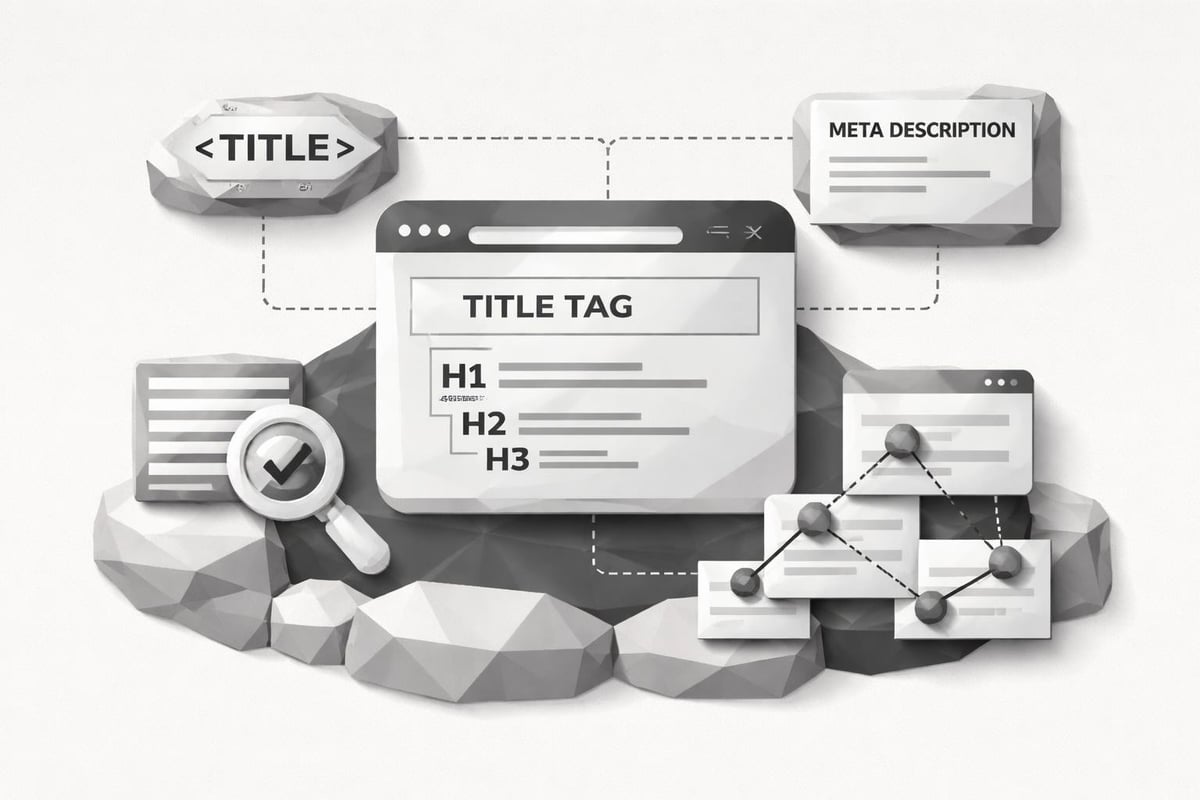
Title tags appear in search results and browser tabs, making them crucial for both SEO and click-through rates. Craft compelling titles that:
- Include your target keyword near the beginning
- Stay within 50-60 characters
- Accurately describe the page content
- Create curiosity or promise value
Meta descriptions don't directly impact rankings but significantly influence click-through rates. Write unique descriptions for each page that summarize content in 140-160 characters and include a clear call-to-action.
Structure Content with Header Tags
Proper header hierarchy helps search engines understand content organization and improves accessibility. Use one H1 tag per page (typically your post title), then structure content with H2 and H3 subheadings. This approach creates scannable content that readers appreciate and search engines can easily parse.
Optimize Images for Search
Images enhance user experience but can slow page load times if not properly optimized. Your wordpress seo checklist should include these image optimization steps:
- Compress images before uploading to reduce file size
- Use descriptive file names (keyword-rich when relevant)
- Add alt text to describe image content
- Specify dimensions to prevent layout shifts
- Choose appropriate formats (WebP for photographs, PNG for graphics)
WordPress now supports WebP format natively, offering superior compression compared to JPEG while maintaining quality.
Implement Internal Linking Strategy
Internal links distribute page authority throughout your site and help users discover related content. As you build your content library, regularly link to older relevant posts from new articles. Focus on:
- Using descriptive anchor text that indicates destination content
- Linking to cornerstone content from multiple related posts
- Creating logical topic clusters around primary themes
- Avoiding excessive links that dilute value
Strategic internal linking significantly improves how search engines discover and rank your content, as outlined in many comprehensive WordPress SEO checklists.
Technical Performance and Speed Optimization
Site speed directly impacts both user experience and search rankings. Google's Core Web Vitals have made performance optimization essential for any wordpress seo checklist.
Implement Caching Solutions
Caching generates static HTML versions of your dynamic WordPress pages, dramatically reducing server processing time. Install a caching plugin like WP Rocket, W3 Total Cache, or WP Super Cache to:
- Enable page caching
- Implement browser caching
- Minify CSS and JavaScript
- Optimize database queries
Proper caching configuration can reduce page load times by 50-70%, significantly improving user experience and search rankings.
Optimize Database Performance
WordPress databases accumulate unnecessary data over time, including post revisions, spam comments, and transient options. Regular database optimization removes this bloat and improves query performance. Schedule monthly cleanups using plugins like WP-Optimize to:
- Delete post revisions
- Remove spam and trashed comments
- Clean transient options
- Optimize database tables
Implement Lazy Loading
Lazy loading defers image and video loading until users scroll to them, improving initial page load times. WordPress includes native lazy loading for images since version 5.5, but you can enhance it further with plugins that support:
- Video lazy loading
- Background image lazy loading
- Iframe lazy loading
This optimization particularly benefits pages with extensive visual content.
| Performance Metric | Target | Impact |
|---|---|---|
| First Contentful Paint | < 1.8s | High |
| Largest Contentful Paint | < 2.5s | Critical |
| Cumulative Layout Shift | < 0.1 | Medium |
| Time to Interactive | < 3.8s | High |
Mobile Optimization and Responsive Design
Mobile-first indexing means Google primarily uses your site's mobile version for ranking and indexing. Your wordpress seo checklist must prioritize mobile optimization.
Choose a Responsive WordPress Theme
Responsive themes automatically adapt to different screen sizes, ensuring optimal display across devices. When selecting a theme, verify:
- Mobile responsiveness across devices
- Fast loading on mobile networks
- Touch-friendly navigation elements
- Readable font sizes without zooming
Selecting an SEO-friendly WordPress theme establishes a strong foundation for mobile optimization.
Test Mobile Usability
Google Search Console provides a Mobile Usability report identifying issues affecting mobile performance. Common problems include:
- Text too small to read
- Clickable elements too close together
- Content wider than screen
- Mobile viewport not configured
Address these issues promptly to maintain mobile search visibility.
Optimize for Touch Interactions
Mobile users interact through touch, requiring different design considerations than desktop. Ensure buttons and links have adequate spacing (minimum 48x48 pixels), form fields are appropriately sized, and navigation menus work smoothly on touch devices.
Schema Markup and Structured Data
Schema markup helps search engines understand your content's context, enabling rich snippets and enhanced search results. This advanced section of your wordpress seo checklist can significantly improve click-through rates.
Implement Core Schema Types
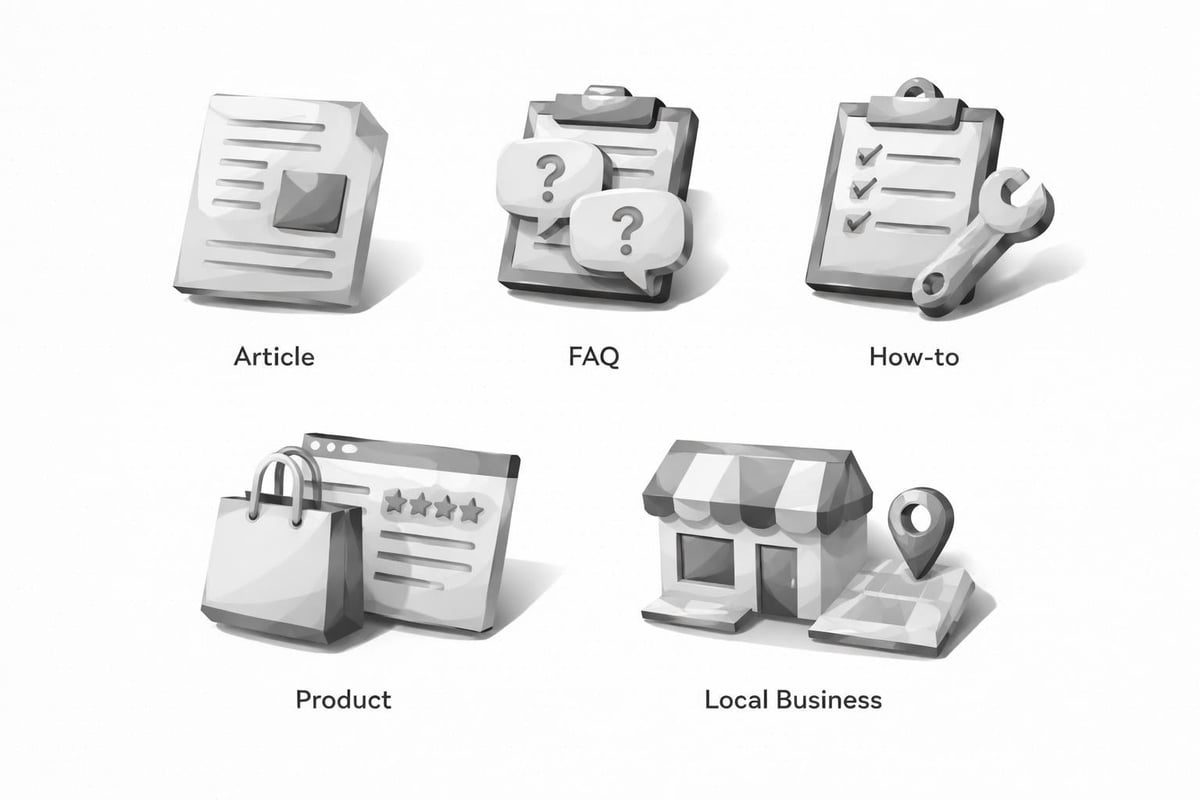
Different content types benefit from specific schema markup. Install a schema plugin or use your SEO plugin's schema features to implement:
- Article schema for blog posts
- Organization schema for your business information
- Local Business schema for location-based businesses
- Product schema for e-commerce items
- FAQ schema for frequently asked questions
- How-to schema for instructional content
Validate Schema Implementation
Use Google's Rich Results Test to verify your schema markup is correctly implemented and eligible for rich snippets. Regular validation ensures you're capitalizing on all available search enhancements.
Content Management and Publishing Workflow
Consistent, high-quality content publication drives sustained organic growth. Your wordpress seo checklist should include systematic content management practices.
Establish a Content Calendar
Regular publishing signals site activity to search engines and keeps audiences engaged. Create a content calendar that:
- Aligns with keyword research priorities
- Maintains realistic publishing frequency
- Accounts for seasonal topics and trends
- Balances evergreen and timely content
Consistency matters more than volume-publishing one quality post weekly outperforms sporadic bursts of mediocre content.
Optimize Content Before Publishing
Before hitting publish, verify each post meets your wordpress seo checklist standards:
- Target keyword appears in title, first paragraph, and subheadings
- Meta description is compelling and includes primary keyword
- Images are optimized with alt text
- Internal links point to relevant existing content
- External links reference authoritative sources
- Content length matches or exceeds competing top-ranking pages
- Readability score meets accessibility standards
Many businesses now leverage automated SEO tools to streamline this pre-publication optimization process, ensuring consistency across all content. RankPill automates many of these optimization steps, generating fully optimized WordPress posts complete with proper formatting, internal links, and keyword targeting-significantly reducing the time required to maintain your publishing schedule.
Update Existing Content Regularly
Search engines favor fresh, updated content. Schedule quarterly reviews of your highest-traffic pages to:
- Refresh outdated statistics and examples
- Add new relevant information
- Improve keyword targeting based on current data
- Update internal links to newer related content
- Enhance visual elements
Updated content often experiences immediate ranking improvements and renewed organic traffic.
Analytics and Performance Monitoring
Data-driven optimization requires consistent monitoring and analysis. Your wordpress seo checklist isn't complete without establishing measurement systems.
Configure Google Analytics 4
Google Analytics 4 provides comprehensive insights into traffic sources, user behavior, and conversion patterns. After installing the tracking code, configure:
- Custom events for important user actions
- Conversion tracking for business goals
- Audience segments for detailed analysis
- Enhanced measurement for automatic event tracking
Regular analytics review identifies successful content, traffic patterns, and optimization opportunities.
Set Up Google Search Console
Search Console provides direct insights into how Google views your site. Monitor these critical reports:
- Performance report: Track impressions, clicks, and average position
- Coverage report: Identify indexing issues and errors
- Core Web Vitals: Monitor page experience metrics
- Mobile Usability: Detect mobile-specific problems
- Manual Actions: Check for penalties or issues
Address issues promptly to maintain optimal search visibility, as detailed in comprehensive WordPress SEO tutorials.
Track Keyword Rankings
Monitor target keyword rankings to measure SEO progress and identify opportunities. While rankings fluctuate, tracking trends over time reveals whether your optimization efforts are succeeding. Tools like SEMrush, Ahrefs, or Google Search Console's performance report provide keyword ranking insights.
Analyze Competitor Performance
Understanding competitor strategies reveals gaps in your own approach. Regular competitor analysis should examine:
- Which keywords competitors rank for that you don't
- Their content formats and topics
- Backlink profiles and link-building strategies
- Technical optimization approaches
- Content publishing frequency
This intelligence informs your content strategy and helps prioritize optimization efforts focused on increasing website traffic.
Link Building and Authority Development
While on-page optimization is essential, building domain authority through quality backlinks remains crucial for competitive rankings.
Create Link-Worthy Content
The most sustainable link-building strategy involves creating content others naturally want to reference. Content types that attract backlinks include:
- Original research and data studies
- Comprehensive guides and tutorials
- Industry surveys and reports
- Expert roundups and interviews
- Infographics and visual resources
This approach to building backlinks generates sustainable authority growth.
Implement Guest Posting Strategy
Contributing quality content to authoritative sites in your industry builds backlinks and expands your reach. Focus on:
- Identifying relevant, high-authority sites accepting guest posts
- Pitching unique topic ideas aligned with their audience
- Creating exceptional content that provides genuine value
- Including natural, relevant links back to your site
Quality matters far more than quantity-one link from an authoritative source outweighs dozens from low-quality sites.
Leverage Existing Relationships
Your business relationships often present link-building opportunities. Consider:
- Suppliers and partners who might link from their resource pages
- Industry associations offering member directories
- Local business organizations with community pages
- Satisfied customers willing to provide testimonials with links
These relationship-based links often carry more authority than generic directory submissions.
Advanced WordPress SEO Strategies
Once you've mastered fundamental optimization, these advanced techniques can provide competitive advantages.
Optimize for Featured Snippets
Featured snippets appear above traditional organic results, capturing significant click-through rates. To optimize for snippets:
- Identify questions your target audience asks
- Provide clear, concise answers in 40-60 words
- Use structured formatting (lists, tables, steps)
- Include question-based subheadings
Approximately 12% of search results now display featured snippets, making this optimization increasingly valuable.
Implement Topic Clusters
Topic clusters organize content around central pillar pages linked to related cluster content. This structure:
- Demonstrates topical authority to search engines
- Improves internal linking architecture
- Enhances user navigation and engagement
- Consolidates ranking signals around strategic topics
Create comprehensive pillar pages targeting broad topics, then develop cluster content addressing specific subtopics.
Optimize for Voice Search
Voice search adoption continues growing, requiring optimization adjustments. Voice queries tend to be:
- Longer and more conversational
- Question-based
- Locally focused
Incorporate natural language and question-based content to capture voice search traffic, particularly for local businesses.
Prepare for AI Search Integration
Search is evolving beyond traditional Google rankings to include AI platforms like ChatGPT. Understanding how to optimize for AI SEO and get recommended by ChatGPT represents the next frontier of search optimization. This includes structuring content for AI comprehension, providing direct answers to questions, and establishing authoritative signals AI systems recognize.
A comprehensive wordpress seo checklist provides the roadmap for sustainable organic growth, covering everything from technical foundation through advanced optimization strategies. By systematically implementing these practices, you'll build a WordPress site that attracts qualified traffic and converts visitors into customers. RankPill streamlines this entire process by automating content creation, keyword research, and optimization-allowing you to maintain a consistent publishing schedule that drives organic growth without the traditional time investment. Start optimizing your WordPress site today and watch your search visibility transform.