
Easiest All-in-One SEO Software for Beginners in 2026

Modest Mitkus · November 25, 2026
The easiest all-in-one SEO software is the one that does the work for you, not the one with the most dashboards. For beginners, that usually means a tool that finds keywords, writes content, and publishes it without you stitching three products together. If you have no SEO background and little time, pick automation over a toolbox.
This guide explains what "all-in-one" really covers, which tool types suit beginners, and how to choose without overpaying. It is written for small business owners, founders, and teams managing SEO for several clients.
What "all-in-one SEO software" actually means
All-in-one SEO software bundles the main SEO jobs into one product, so you do not buy and learn five separate tools. The jobs are keyword research, content creation, on-page optimization, technical checks, and tracking.
Google defines SEO as helping search engines understand your content and helping users find your site and decide whether to visit it, according to the Google Search Central SEO Starter Guide. That is a short list of goals. Most of the complexity in SEO software comes from tools trying to do every task manually.
There are three common shapes of "all-in-one":
- Research suites. Large dashboards for keywords, backlinks, and audits. They show you data. You still do the writing and publishing.
- Editor-based tools. They score a draft against top-ranking pages. You write, they grade.
- Automation tools. They plan topics, write articles, and publish them on a schedule.
The first two are powerful but assume you have time and some skill. The third is the easiest for a beginner, because the output is finished pages, not a to-do list.
What makes SEO software easy for beginners
Easy software has a short path from signup to a published page. Judge any tool on these six points before you look at features.
- Setup time. Can you connect your site and start in under 30 minutes?
- Keyword guidance. Does it pick keywords for you, using real search volume and difficulty, or hand you a spreadsheet?
- Content output. Does it produce a publish-ready article, or only suggestions?
- Publishing. Does it post to your platform directly, or do you copy and paste?
- Learning curve. Can someone with no SEO vocabulary use it in week one?
- Price clarity. Is the monthly cost fixed, or does it scale with usage in ways that surprise you?
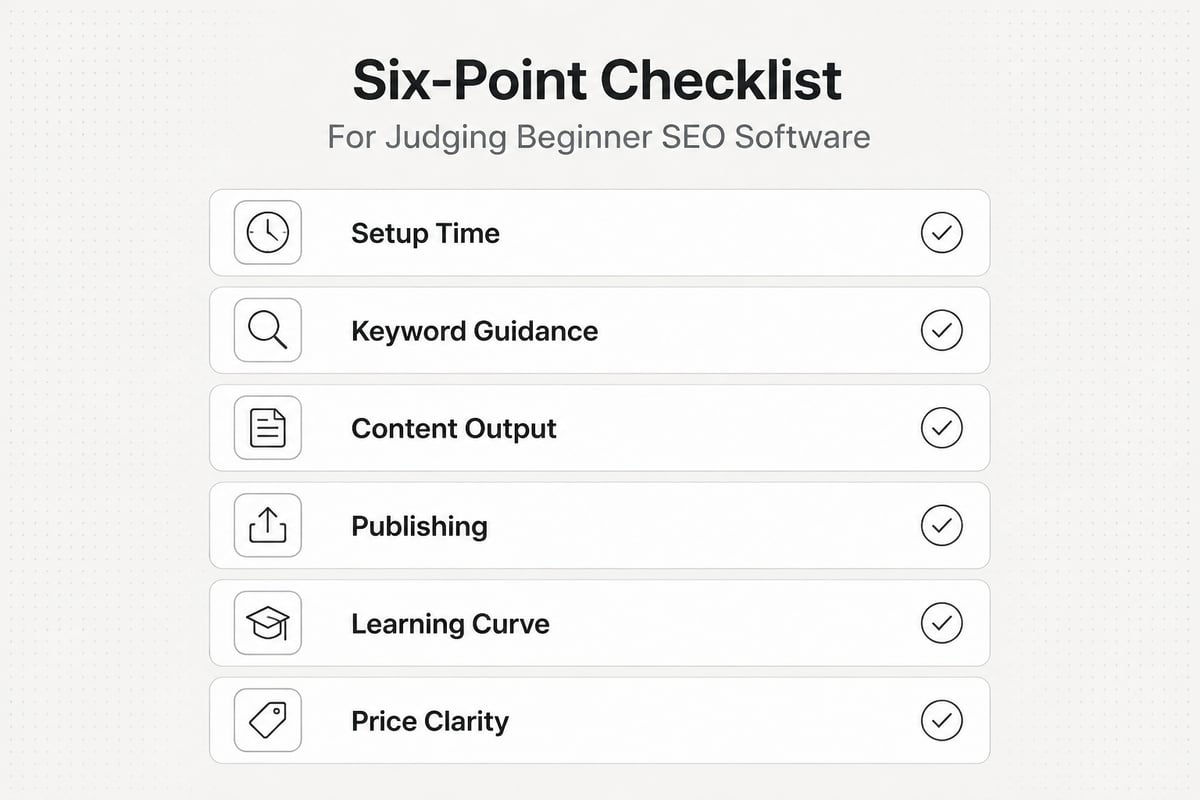
A tool can look impressive and still fail four of these. A simpler tool that passes all six will get you further in your first three months.
Is SEO dead or evolving in 2026?
SEO is evolving, not dead. People still use search to find businesses, and AI assistants now pull answers from the same web pages that rank in Google.
Search remains a major way people discover new brands, products and services, according to HubSpot's 2026 marketing statistics. Search is still a main discovery channel. What changed is where answers show up: Google AI Overviews, ChatGPT, and Gemini now sit alongside the classic ten blue links.
For a beginner, this has a practical effect. Clear, well-sourced articles that answer real customer questions help in both places. You do not need a separate "AI SEO" strategy on day one. You need good pages, published steadily.
What is AI SEO?
AI SEO means using AI to do SEO work, and also making your content easy for AI assistants to find and cite. Both meanings matter.
The first meaning is tooling. AI handles keyword selection, drafting, internal linking, and publishing. This is what makes the easiest all-in-one SEO software possible for people with no SEO team.
The second meaning is visibility. AI assistants pull answers from pages on the web, so a clear article on a customer question can get cited even if it is not first on Google. Tracking that visibility is a newer task. Some tools now check daily whether ChatGPT, Gemini, or Google AI Overviews mention your brand. For deeper background, see this explainer on AI and SEO.
The main types of beginner-friendly tools
Beginner-friendly SEO tools fall into four groups, and each trades ease for control in a different way. Here is how they compare.
| Tool type | What it does | Effort for you | Best fit |
|---|---|---|---|
| WordPress SEO plugins | On-page settings, sitemaps, schema | Medium: you write the content | WordPress sites with a writer |
| Research suites | Keywords, backlinks, audits | High: you act on the data | People learning SEO |
| Editor-based tools | Score drafts against top results | High: you write every draft | Teams with writers |
| Automation tools | Plan, write, publish articles | Low: you set a schedule | Owners with no time to write |
Plugins
A plugin handles the technical basics on one platform. It is useful, and often free to start. It does not create traffic by itself, because it cannot write the pages that earn it. If you run WordPress, a plugin is a sensible base layer. Our guide to the best SEO plug-in for WordPress covers the trade-offs.
Research suites and editors
These give you data and scoring. They are good when someone on your team can turn data into pages. For a beginner with no writer, they often become expensive dashboards that nobody opens after month two.
Automation tools
These remove the writing and publishing bottleneck. You trade some hands-on control for speed. That trade is the right one for most small businesses, because the biggest SEO failure is not bad optimization. It is publishing nothing for six months.
Why the easiest all-in-one SEO software is usually automation
Automation wins for beginners because consistency beats polish when you are starting out. A site with 30 solid articles a month builds topical coverage that a site with two perfect articles never will.
Here is the math on cost. Agencies often charge a lot more per article than automation tools do. On the RankPill plan, 30 articles at $99 a month works out to about $3 per article. Those are different services, and an agency brings strategy and people. But for a founder who only needs steady content, the gap is large.
Automation has real limits. You give up line-by-line control of every sentence. If you want only hand-written content, this approach is not for you. If your site cannot connect to a supported publishing platform, you will be copying articles by hand. Most readers of this guide do not have those constraints.
For a longer look at the category, see our breakdown of SEO automation software.
How to improve SEO easily as a beginner
You improve SEO easily by doing a small number of things on repeat: publish useful pages for real search terms, link them together, and fix obvious technical problems. Skip everything else at first.
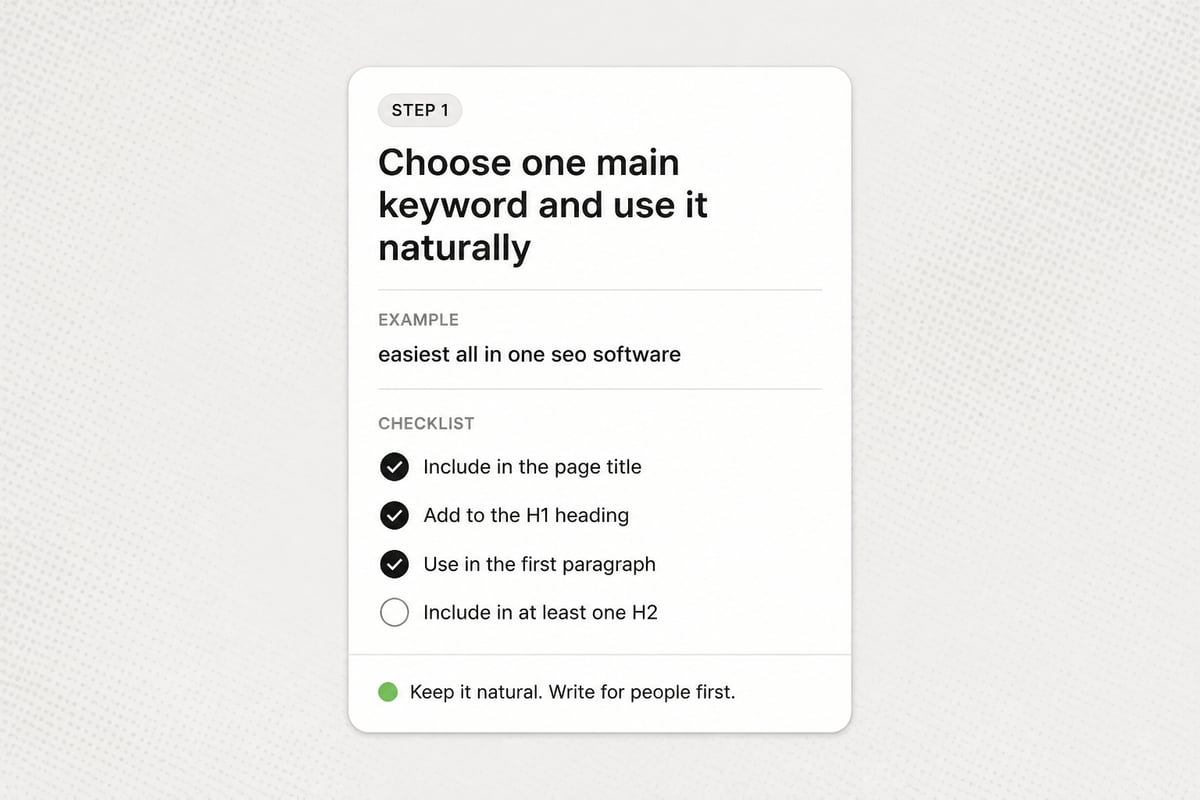
- Pick keywords your site can realistically rank for. Use real monthly search volume and keyword difficulty. Low-difficulty terms with steady volume beat big terms you will never win.
- Publish on a schedule. Choose days and times, then stick to them. Two to four articles a week is a good start.
- Write for the reader. Answer the question in the first sentence. Add sources and examples.
- Link internally. Each new article should link to related pages on your own site.
- Connect Google Search Console. It is free and shows clicks, impressions, and positions.
- Check page speed. Google's recommended Core Web Vitals targets are LCP within 2.5 seconds, INP under 200 milliseconds, and CLS below 0.1, per Google Search Central.
- Add structured data where it applies. Google recommends JSON-LD as the format, and markup must follow its guidelines to be eligible for rich results, per Google's structured data guidelines.
If you want the same idea with a cost angle, our guide to SEO for small business goes deeper.
What is the 80/20 rule in SEO?
The 80/20 rule in SEO says a small share of your pages and actions produce most of your results. In practice, a handful of articles usually bring most of your organic traffic.
That has two uses for a beginner. First, put effort into topics with real search demand, not into every possible keyword. Second, review what works after a few months and write more in that area. A tool that shows which articles earn impressions makes this easy. Without one, you are guessing.
The rule also argues against over-tuning. You do not need a perfect score on every page. You need many good pages, and a few of them will pull most of the weight.
One tool that fits the "set it and publish" approach
If your goal is steady organic traffic with no writers and no agency, RankPill is built for it. It finds keywords your site can rank for, writes articles of about 1,000, 2,000, or 3,000 words with images, internal and external links, and meta tags, then publishes them on a schedule you pick. You can send articles straight to WordPress, Shopify, Webflow, Wix, or Framer, or to any other site through webhooks.
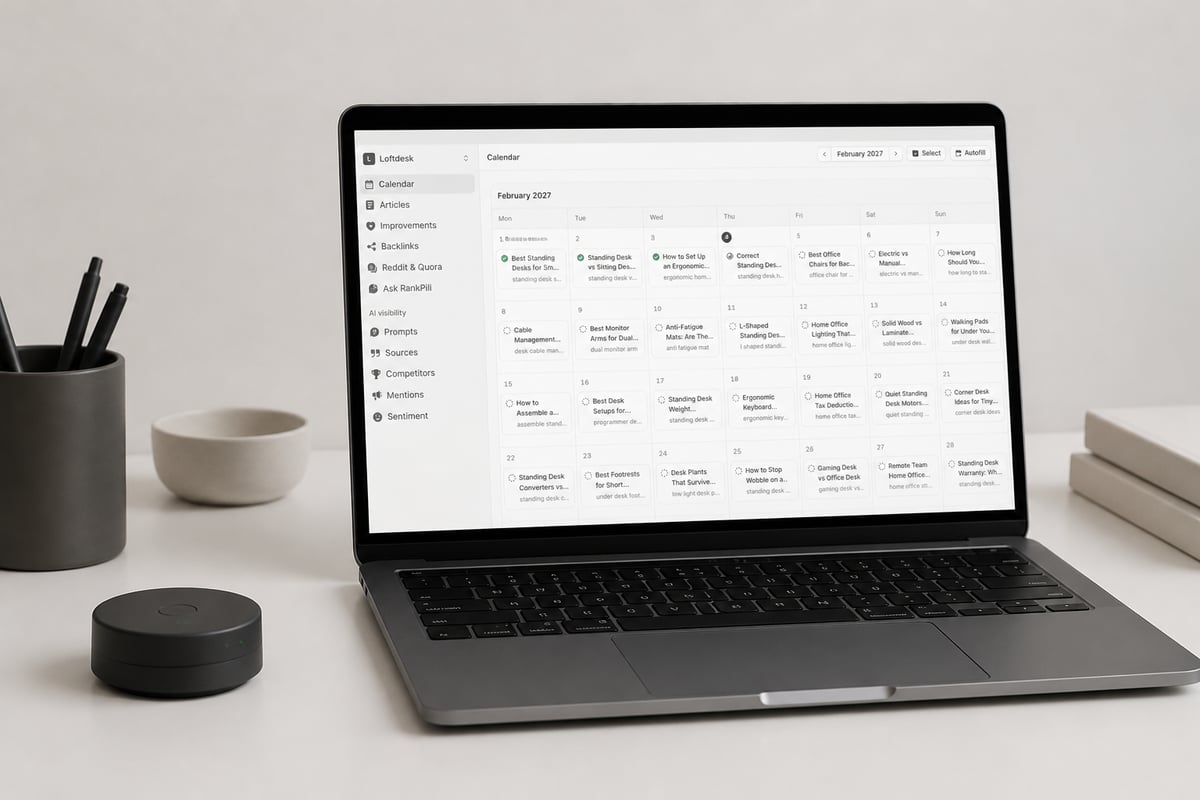
Pricing is $99 a month per website for 30 articles, or $990 a year. A 3-day trial costs $1 and includes 3 articles, and you can cancel anytime. You can also choose how much control you keep: Autopilot publishes on its own, while the other modes hold topics or articles for your approval.
RankPill is not for everyone. If you only want hand-written content, or your site cannot publish articles from a supported platform or webhook, look elsewhere. For a closer read, see this RankPill AI SEO writer review.
How to set up beginner SEO software in a week
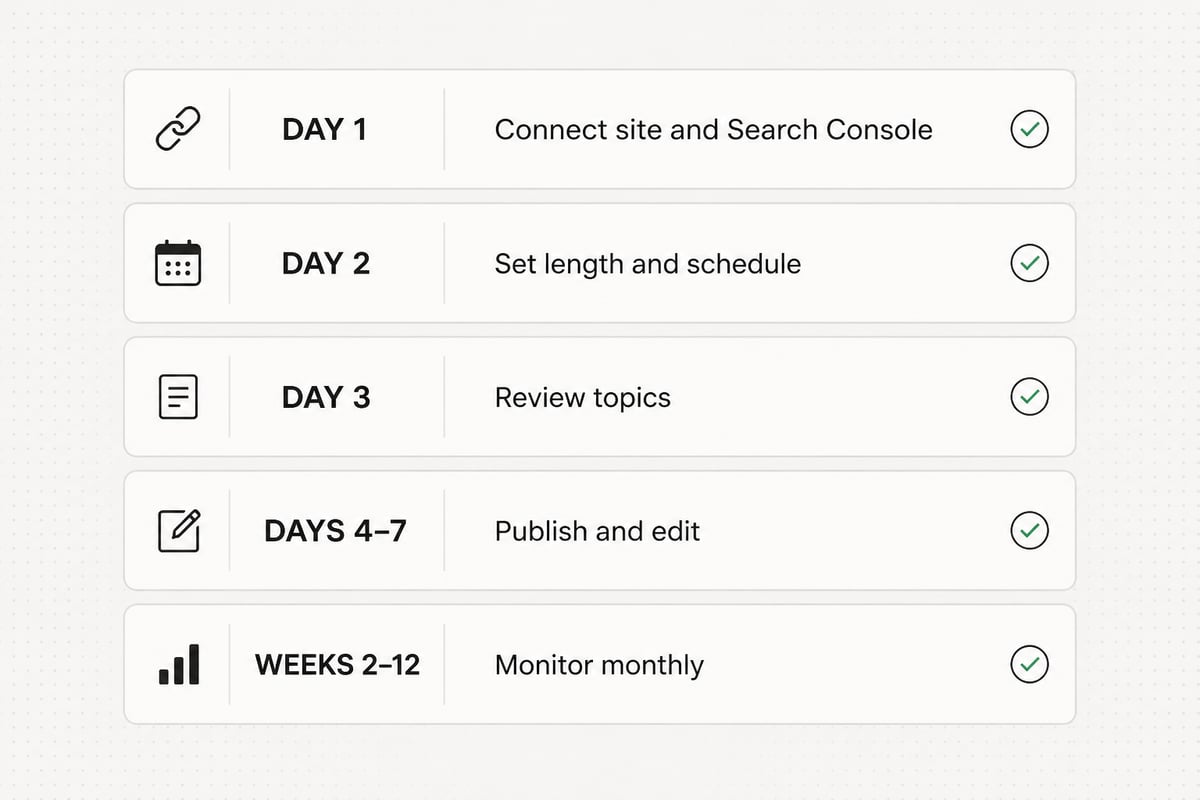
You can go from signup to a running content schedule in about a week if you keep the first pass simple. Here is a realistic order.
- Day 1: Connect your site. Link your publishing platform and Google Search Console.
- Day 2: Set your article length and schedule. For most beginners, 2,000 words and three articles a week is a sound start.
- Day 3: Review the first topics. If you want control, use an approval mode so nothing goes live until you say so.
- Days 4 to 7: Publish and read. Look at your first articles. Edit anything that is off-brand or wrong. Most tools let you edit before or after publishing.
- Weeks 2 to 12: Leave it running. Check Search Console monthly, not daily.
Set expectations honestly. Many sites start getting impressions on their first articles within a few weeks. Steady growth often takes a few months, as traffic builds with more indexed articles. There is no guaranteed timeline, and it depends on your niche and how established your site is.
Easiest all-in-one SEO software for agencies and multi-site teams
Agencies and marketing teams need the same simplicity, plus a way to run several sites without extra work per client. The key questions change slightly.
- Does pricing drop as you add sites? Volume discounts matter when you manage five or twenty websites.
- Can each client have its own schedule and approval flow? Clients often want to review before publishing.
- Are multiple languages supported? Some clients sell in more than one market.
- Is reporting simple? Connecting Search Console per site gives clicks, impressions, and positions without custom dashboards.
On RankPill, discounts apply automatically per website: 10% off for 2 to 4 websites, 15% for 5 to 19, and 20% for 20 or more. Each language runs as its own website with its own plan.
Technical basics that no tool should hide from you
Even the easiest all-in-one SEO software cannot excuse you from a few basics. Know what they are so you can check that your tool handles them.
- Crawlability. Search engines must be able to reach and index your pages. Google's Search documentation covers crawling and indexing in detail.
- Page experience. Search Console's Core Web Vitals report uses real-world user data and groups URLs by status, metric, and similar page groups, per Google Search Console Help. Check it once a month.
- Meta titles and descriptions. Every page needs both. Good tools write them for you.
- Mobile experience. Many consumers prefer finding information about brands and products on their phones, so test your pages on a phone.
- Site health. A periodic audit that lists fixes and suggests articles to update saves guesswork. RankPill runs one monthly on its standard plan and weekly on RankPill Plus.
What to do about AI search visibility
AI search visibility is the newest part of the job, and you can start small. The goal is to be the clear, sourced answer when someone asks an AI assistant about your topic.
Focus on the same things that help Google: direct answers, named sources, and specific examples. You do not need to rank first to be cited. Tracking is optional at the start. If you want it, RankPill Plus checks up to 50 prompts every day in ChatGPT, Gemini, and Google AI Overviews and reports mentions, cited sources, competitors named, and sentiment. It does not track Perplexity or Claude yet.
Clear articles can also get cited by ChatGPT and bring visitors from outside Google. Results vary, so treat this as a possibility, not a promise.
FAQ
Do I need SEO experience to use all-in-one SEO software?
No, if you choose an automation tool. These handle keyword research, writing, linking, and publishing, so you connect your site once and pick a schedule. Research suites and editors do assume some SEO knowledge.
Does Google penalize AI-written content?
No. Google has said it ranks helpful content regardless of how it was made, and it penalizes low-quality content whether a person or AI wrote it. Pick a tool that researches what already ranks, cites sources, and lets you edit every article.
How much should beginner SEO software cost?
Plugins can be free or cheap, while research suites can cost more than a small business needs. Automation tools like RankPill start at $99 a month per website for 30 articles. Compare the cost per published article, not the feature count.
Your next step is to list the three SEO jobs you keep putting off, such as keyword research, writing, and publishing, and pick a tool that does all three for you. If those jobs are what is blocking you, Try RankPill for $1 and see your first three articles planned, written, and ready to publish on your schedule. It is built for founders, small teams, and agencies who want customers from Google and AI search without hiring writers or an agency.
Unlock Traffic on Autopilot
Grow organic traffic on autopilot. RankPill will research, write, optimize, and publish articles to your website daily.