SEO Automation for Webflow: Complete 2026 Guide

Modest Mitkus · May 28, 2026
Webflow has revolutionized website design by giving creative professionals the power to build stunning, responsive sites without writing code. However, creating a beautiful website is only half the battle. Without proper search engine optimization, even the most visually impressive Webflow site will struggle to attract organic traffic. This is where seo automation for webflow becomes essential. By integrating automated SEO processes into your Webflow workflow, you can maintain consistent optimization standards while focusing on design and content strategy. Modern automation tools now handle everything from technical audits to content publishing, making professional-level SEO accessible to designers and marketers who may lack deep technical expertise.
Understanding SEO Automation in the Webflow Ecosystem
SEO automation for Webflow represents a fundamental shift in how website owners approach search optimization. Rather than manually adjusting meta tags, researching keywords, and monitoring performance metrics, automation tools handle these repetitive tasks systematically and at scale.
The Webflow platform already provides robust native SEO features including automatic sitemap generation, customizable title tags, and clean semantic HTML output. These built-in capabilities create a solid foundation for optimization. However, native features still require manual input for each page, which becomes unsustainable as your site grows.

Key Components of Webflow SEO Automation
Effective seo automation for webflow encompasses several interconnected systems:
- Automated keyword research that identifies content opportunities based on search volume, competition, and relevance
- Content generation and optimization tools that produce SEO-friendly articles matching target keywords
- Technical SEO monitoring that catches issues like broken links, slow page speeds, or missing meta descriptions
- Internal linking automation that creates contextual connections between related pages
- Performance tracking that monitors rankings, traffic, and conversions without manual data compilation
Each component addresses a specific aspect of search optimization. When integrated properly, these systems create a comprehensive automation framework that maintains SEO standards across your entire Webflow site.
Why Webflow Sites Need Automated SEO Solutions
Traditional manual SEO approaches create significant bottlenecks for Webflow users. Designers excel at visual creation but may lack the time or expertise to implement advanced optimization strategies. Meanwhile, content teams struggle to maintain consistency across dozens or hundreds of pages.
The scale problem becomes particularly acute for businesses publishing regular content. A company blog publishing three articles weekly needs to optimize 156 pages annually. Each requires keyword research, meta tag creation, image optimization, internal linking, and performance monitoring. Manual processes simply cannot keep pace without dedicating substantial resources.
Automation solves this capacity constraint. Digital marketing automation platforms handle repetitive optimization tasks while maintaining quality standards. This allows teams to focus on strategic decisions rather than tactical execution.
Common Webflow SEO Challenges Automation Addresses
| Challenge | Manual Approach | Automated Solution |
|---|---|---|
| Keyword Research | Hours per article | Minutes with AI analysis |
| Meta Tag Optimization | Inconsistent across pages | Template-based consistency |
| Internal Linking | Manual identification | Algorithmic suggestions |
| Content Publishing | Multi-step manual process | One-click deployment |
| Performance Monitoring | Weekly manual checks | Real-time automated alerts |
Research on SEO optimization and content quality correlation demonstrates that consistent application of best practices significantly impacts search performance. Automation ensures these practices apply uniformly across your entire Webflow site.
Essential SEO Automation Tools for Webflow
Several specialized platforms now offer seo automation for webflow, each with distinct capabilities and integration approaches. Understanding these options helps you select tools matching your specific needs.
Platform-Specific Automation Tools
Semflow integrates directly into the Webflow editor, providing AI-assisted optimization suggestions as you build pages. This contextual approach helps designers implement SEO best practices without leaving their workflow. The tool analyzes content in real-time and recommends improvements for readability, keyword usage, and semantic structure.
LinkerFlow specializes in automated internal linking, a critical but often neglected SEO factor. The platform uses AI to identify contextual linking opportunities across your Webflow site, suggesting relevant connections that improve user navigation and distribute page authority effectively.
For teams needing comprehensive content automation, platforms like SEOAgent and RankYak offer end-to-end workflows. These tools handle keyword discovery, content creation, optimization, and automated publishing directly to your Webflow CMS.
Selecting the Right Automation Stack
Choosing appropriate tools depends on your specific requirements:
- Assess your primary bottleneck - Is it content creation, technical optimization, or link building?
- Evaluate integration depth - Does the tool connect via Webflow's API or require manual export/import?
- Consider scalability - Will the solution handle your projected content volume in 12-24 months?
- Review automation scope - Which tasks remain manual versus fully automated?
- Calculate true cost - Factor in setup time, learning curve, and ongoing subscription fees
The most effective approach often combines multiple specialized tools rather than relying on a single platform. For example, using LinkerFlow for internal links, a dedicated keyword research tool for content planning, and automated publishing for content deployment.

Implementing Automated Keyword Research for Webflow
Keyword research forms the foundation of effective SEO, yet manual research consumes considerable time. Automation transforms this process from hours of spreadsheet work into systematic opportunity identification.
Modern AI-powered keyword tools analyze search intent, competition levels, and topic clusters simultaneously. They identify not just high-volume keywords but semantic relationships between topics, helping you build comprehensive content strategies rather than isolated articles.
Building an Automated Keyword Pipeline
Step one involves defining your topic universe. Specify your industry, target audience, and primary product or service categories. Automation tools use this context to generate relevant seed keywords.
Step two applies competitive analysis. Tools crawl competitor websites to identify keywords they rank for, revealing content gaps in your strategy. This competitive intelligence happens automatically on scheduled intervals.
Step three prioritizes opportunities based on your custom criteria. Perhaps you prioritize keywords with monthly search volume between 500-2,000 and low competition scores. Automation filters thousands of possibilities down to actionable targets.
Step four organizes keywords into content clusters. Related keywords group together, forming the basis for comprehensive pillar pages and supporting articles. This structure improves topical authority signals.
The entire pipeline runs continuously, identifying new opportunities as search trends evolve. You receive regular reports highlighting priority keywords without manual research sessions.
Automating Content Creation and Optimization
Once keywords are identified, content creation becomes the next bottleneck. Traditional approaches require briefing writers, reviewing drafts, and iterating until optimization standards are met. Automation compresses this timeline dramatically.
AI content tools now generate comprehensive, search-optimized articles from keyword inputs. These systems understand SEO fundamentals like keyword placement, header hierarchy, and content depth. They produce drafts requiring minimal editing rather than writing from scratch.
For Webflow users specifically, automated content needs proper formatting for CMS import. Quality automation platforms generate content already structured for Webflow's collection fields, including proper rich text formatting, image placeholders, and meta field population.
Quality Control in Automated Content Workflows
Automation does not mean abandoning quality standards. Effective seo automation for webflow includes multiple quality checkpoints:
- Plagiarism scanning ensures content originality before publication
- Readability analysis confirms appropriate reading level for your audience
- SEO scoring validates keyword usage, header structure, and content depth
- Brand voice alignment maintains consistent tone across automated content
- Fact verification flags claims requiring human review
These automated checks catch issues that might slip through manual review, particularly when publishing at scale. The result is higher consistency than purely manual processes often achieve.
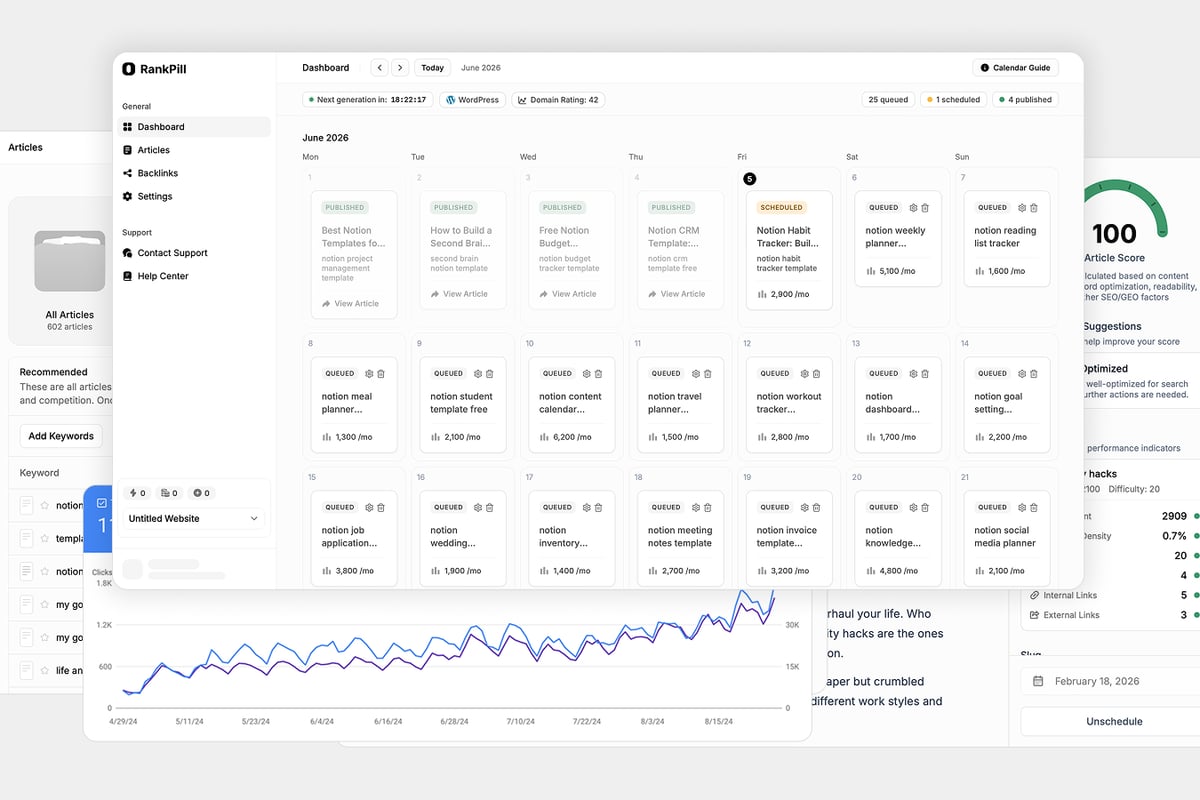
RankPill's SEO Automation platform exemplifies this comprehensive approach. The system handles keyword research, creates optimized articles, integrates relevant images and videos, builds internal and external link structures, and publishes directly to your Webflow CMS. Everything runs on autopilot while you maintain strategic oversight, perfect for founders and small marketing teams who need consistent organic growth without hiring full SEO agencies.
Technical SEO Automation for Webflow Sites
Technical SEO encompasses the behind-the-scenes optimizations that help search engines crawl, index, and rank your site effectively. While Webflow handles many technical aspects automatically, several areas benefit from additional automation.
Automated Technical Audits
Regular technical audits identify issues before they impact rankings. Automation tools scan your Webflow site on scheduled intervals, checking for:
- Broken internal and external links
- Missing or duplicate meta descriptions
- Images lacking alt text
- Pages with slow load times
- Mobile responsiveness problems
- Incorrect canonical tag implementation
Rather than quarterly manual audits, automated systems flag issues within hours of occurrence. This rapid detection prevents ranking losses from technical problems.
According to research on software engineering bot integration, automated workflows significantly reduce error rates compared to manual processes. The same principle applies to technical SEO maintenance.
Schema Markup Automation
Structured data helps search engines understand page content and display rich results. However, manually implementing schema for every page type proves tedious and error-prone.
Automation tools generate appropriate schema markup based on Webflow CMS collection types. Product pages automatically receive Product schema, blog posts get Article markup, and FAQ sections include FAQPage structured data. This systematic approach ensures consistency while saving implementation time.
| Technical Element | Manual Frequency | Automated Frequency | Impact on Rankings |
|---|---|---|---|
| Broken Link Checks | Monthly | Daily | High |
| Meta Tag Audits | Quarterly | Weekly | High |
| Page Speed Analysis | Per launch | Continuous | Medium |
| Mobile Testing | Per change | Continuous | High |
| Schema Validation | Per implementation | Automatic | Medium |
Automating Internal Linking Strategies
Internal linking distributes page authority throughout your site while guiding users to related content. Despite its importance, internal linking often receives minimal attention because manual implementation is time-consuming.
Automated internal linking tools analyze your content semantically, identifying contextual relationships between pages. When you publish a new article about "email marketing automation," the system automatically suggests linking to existing articles about "marketing workflows" or "customer engagement strategies."
These suggestions appear either as recommendations for manual approval or as automatic link insertions based on predefined rules. The latter approach works particularly well for large content libraries where manual linking becomes impractical.
Best Practices for Automated Internal Links
Effective automated linking follows several principles:
- Relevance over quantity - Links should provide genuine value to readers, not just exist for SEO purposes
- Natural anchor text - Avoid over-optimization by varying anchor text and using contextual phrases
- Hierarchical awareness - Link from supporting articles to pillar content, not just randomly between pages
- Link depth management - Ensure important pages are accessible within three clicks from the homepage
- Update frequency - Regularly review and refresh internal links as content evolves
Tools like LinkerFlow excel at these nuanced linking decisions, using AI to understand content relationships rather than simple keyword matching.
Publishing Automation and Webflow CMS Integration
The final step in seo automation for webflow involves getting optimized content live on your site. Manual publishing requires logging into Webflow, creating CMS items, copying content into fields, uploading images, and setting publication dates. This multi-step process introduces errors and delays.
API-based automation eliminates these manual steps. Content flows directly from optimization tools into Webflow CMS collections through webhook integrations or platform-specific connections. Articles publish on predetermined schedules without human intervention.
Setting Up Automated Publishing Workflows
Implementing automated publishing requires initial configuration but delivers long-term efficiency gains:
- Map content fields - Match automation tool outputs to Webflow CMS collection fields
- Configure webhooks - Set up triggers that push content when optimization completes
- Define publishing rules - Specify timing, categories, and approval requirements
- Test thoroughly - Verify formatting, images, and metadata transfer correctly
- Monitor initial publications - Review first automated posts carefully before scaling
Once configured, the system handles routine publishing while you focus on strategy and high-value content. Many Webflow users report publishing 10-20x more content after implementing automation without increasing team size.
Measuring ROI from SEO Automation
Implementing seo automation for webflow requires investment in tools and setup time. Measuring return on this investment helps justify continued automation and identify improvement opportunities.
Key Performance Metrics
Track these metrics to quantify automation impact:
- Content output - Articles published per month before and after automation
- Time savings - Hours reclaimed from manual SEO tasks
- Ranking improvements - Keyword position changes for automated content
- Organic traffic growth - Session increases attributable to automated optimization
- Cost per article - Total automation costs divided by articles published
- Revenue attribution - Conversions and revenue from organic traffic
Research on public awareness and attitudes toward SEO shows that consistent optimization significantly improves user trust and engagement. These qualitative benefits complement quantitative metrics.
Most teams see positive ROI within 3-6 months as automated content accumulates and begins ranking. The compounding effect of regular publishing creates accelerating returns over time.
Optimization Iteration Based on Data
Automation platforms provide detailed analytics on what works. Use this data to refine your approach:
- Which keyword types generate the highest engagement?
- Do certain content lengths or formats rank better?
- Which internal linking patterns drive more page views?
- What publication frequency produces optimal results?
Continuous improvement based on performance data separates effective automation from mechanical content production. The goal is not just publishing more, but publishing strategically based on what your audience and search engines value.
Avoiding Common Webflow SEO Automation Pitfalls
While automation delivers significant benefits, improper implementation creates problems. Understanding these common mistakes helps you avoid them.
Over-automation represents the most frequent error. Not every SEO task should be automated. Strategic decisions about content direction, brand positioning, and user experience require human judgment. Automate execution, not strategy.
Quality degradation occurs when automation sacrifices content value for volume. Search engines and readers both recognize thin, generic content regardless of optimization. Maintain quality standards even in automated workflows.
Technical misconfiguration happens when automation tools interact poorly with Webflow's platform. Always test integrations thoroughly and monitor for formatting issues, broken links, or metadata problems.
Neglecting maintenance assumes automation is "set and forget." Even automated systems require periodic review, updating, and optimization as search algorithms and user behaviors evolve.
Balancing Automation with Human Oversight
The most successful seo automation for webflow implementations combine machine efficiency with human creativity:
- Automate keyword research, but humans select which opportunities to pursue
- Generate content drafts automatically, but editors review and enhance before publication
- Implement automated technical audits, but strategists interpret findings and prioritize fixes
- Use automated linking suggestions, but curate links for user experience
This hybrid approach captures automation's scale benefits while preserving the strategic thinking and creativity that distinguish exceptional content from merely adequate optimization.
Future Trends in Webflow SEO Automation
The SEO automation landscape continues evolving rapidly. Several emerging trends will shape seo automation for webflow in coming years.
AI-powered content personalization will enable dynamic SEO optimization based on user behavior and preferences. Rather than static optimized pages, websites will adjust content, internal links, and calls-to-action based on individual visitor characteristics.
Voice and visual search optimization automation will expand beyond traditional text-based SEO. Tools will automatically optimize images for visual search and structure content for voice query responses.
Predictive keyword identification using machine learning will anticipate trending topics before they reach peak search volume. Early content creation on emerging topics captures initial search demand.
According to TechRadar's analysis of Webflow's AI integration, the platform continues expanding AI-driven capabilities. These native features will increasingly complement third-party automation tools.
Preparing for Algorithm Changes
Search algorithms constantly evolve. Effective automation adapts to these changes rather than rigidly applying outdated practices. Look for automation platforms that:
- Update optimization rules based on current algorithm requirements
- Provide flexibility to adjust parameters as strategies change
- Offer transparency into how content is generated and optimized
- Support rapid pivots when major algorithm updates occur
The future of auto SEO software lies in intelligent systems that learn from performance data and adjust tactics accordingly, not static rule-based automation.
SEO automation for Webflow transforms how businesses approach organic growth, enabling consistent optimization at scale without proportional increases in time or resources. By systematically handling keyword research, content creation, technical audits, and publishing workflows, automation platforms free teams to focus on strategic decisions while maintaining rigorous SEO standards across every page. If you're ready to put your Webflow SEO on autopilot and scale your organic traffic without expanding your team, RankPill delivers complete automation from keyword discovery through publication, helping you build sustainable search visibility while you focus on growing your business.
Unlock Traffic on Autopilot
Grow organic traffic on autopilot. RankPill will research, write, optimize, and publish articles to your website daily.