
Best SEO Tools to Try: A Curated List for Site Owners

Modest Mitkus · November 29, 2026
SEO tools are software that show how your site performs in search, find technical problems, surface keywords and help you publish content that ranks. Most site owners need only a few of them: one for search data, one for audits, one for keywords, and one way to produce content on a schedule.
This list covers eight tools, from free Google products to paid suites. Each entry gives the specs, an approximate price as of November 2026, the use it suits and a one-line verdict. Prices change, so check each vendor before you buy.
What to look for in SEO tools
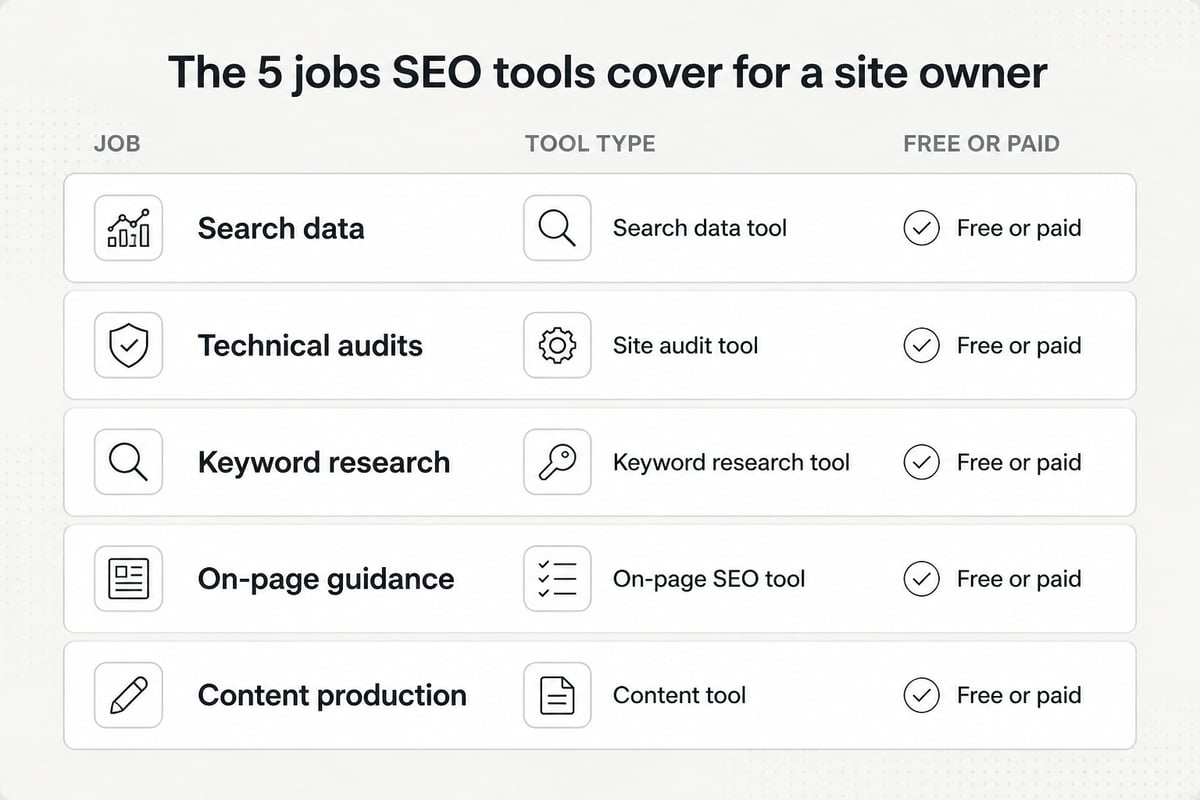
Pick SEO tools by the job you need done, not by feature count. Most site owners need five jobs covered:
- Search data: which queries bring clicks and where you rank.
- Technical audits: broken links, redirects, missing tags, slow pages.
- Keyword research: what people search and how hard it is to rank.
- On-page guidance: titles, meta descriptions, readability.
- Content production: getting articles written and published often enough to matter.
Free tools cover the first two jobs well. Paid tools earn their price on keywords and content, where the work is repetitive and time-consuming.
1. Google Search Console
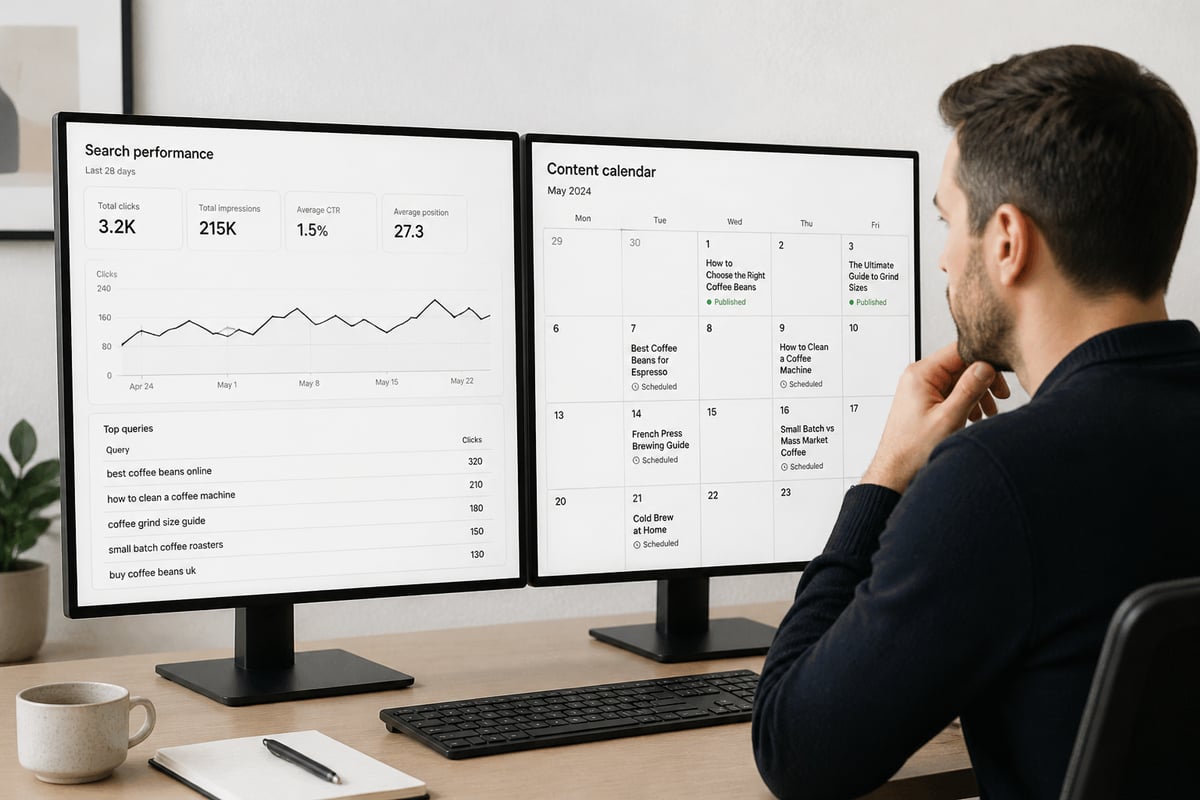
Google Search Console is the free Google tool that shows how your site performs in Google Search. It reports clicks, impressions and average position for a verified site, as Market Intelligence Tools notes in its pricing report.
- Price: Free.
- Key specs: Search performance reports, indexing insights, technical alerts, and a Core Web Vitals report. Google describes Core Web Vitals as measures of real-world loading performance, interactivity and visual stability.
- Suits: Any site that needs Google's own data on queries, indexing and page experience. Setup is a one-time verification.
Verdict: Install this first. No other tool gives you data straight from Google. A practical habit is to sort the performance report by impressions and look for pages that get many views but few clicks, since a better title often fixes those.
2. Screaming Frog SEO Spider
Screaming Frog SEO Spider is a desktop crawler that scans a site the way a search engine does and lists the technical issues it finds.
- Price: Free up to 500 URLs; a paid license is available.
- Key specs: Website crawling, a free crawl limit of 500 URLs, and a paid license that removes the limit.
- Suits: Technical audits on a small to mid-size site. The free version covers a site under 500 pages, such as a small business site or a new blog. Once a crawl finishes, you can export the results and work through the issues one by one.
Verdict: The best way to find broken links, redirect chains and missing tags without paying much. The interface is dense, so expect a learning curve.
3. Moz Pro
Moz Pro is a paid SEO suite that bundles keyword research, backlink analysis and site audits in one login.
- Price: Starter and Standard plans are paid monthly.
- Key specs: The Starter plan covers one website. Features include keyword research, backlink analysis and site audits.
- Suits: Small businesses that want one accessible suite instead of several separate tools, and can spend $50 to $100 a month. Having keywords, links and audits under one login saves you from stitching together exports from different tools.
Verdict: A reasonable all-in-one for a single site. Starter's one-site limit makes it a poor fit for anyone managing several websites.
4. Yoast SEO
Yoast SEO is a WordPress plugin that checks each post against on-page SEO and readability rules while you write.
- Price: Free plugin; a paid Premium version is available.
- Key specs: Real-time SEO analysis in the free plugin, readability analysis and XML sitemaps.
- Suits: WordPress sites where a person writes and edits posts by hand and wants a checklist inside the editor. The sitemap feature also gives search engines a clean list of your pages without extra setup.
Verdict: A good guardrail for titles, meta descriptions and readability. It only works on WordPress, and it flags problems but does not write or publish anything for you.
5. Google Analytics
Google Analytics measures who visits your site, what they do and which visits turn into conversions.
- Price: Free.
- Key specs: Website traffic measurement, user behavior and conversion tracking. It can be paired with Search Console for search-performance context.
- Suits: Any site that wants to know whether organic traffic leads to sign-ups, leads or sales, not only visits. To get that answer, set up conversion tracking for one action that matters, such as a form submission or a purchase.
Verdict: Search Console tells you how people find you. Analytics tells you what they did next. Yoast lists Search Console and Analytics among free SEO reporting tools.
6. Google Keyword Planner
Google Keyword Planner is a keyword discovery tool inside Google Ads that returns keyword ideas with search volume and cost-per-click data.
- Price: Free with a Google Ads account.
- Key specs: Keyword ideas, search-volume data and cost-per-click insights.
- Suits: Estimating search demand before you commit to a topic. Setup needs a Google Ads account, even if you never run an ad. A high cost-per-click also hints that a keyword has commercial value, which helps you choose between two similar topics.
Verdict: Useful for gauging demand. It is built for advertisers, so it does not score how hard a keyword is to rank for organically.
7. AnswerThePublic
AnswerThePublic turns a seed term into a map of the questions people type into search engines.
- Price: A free version is listed, with paid plans available.
- Key specs: Visualizes search queries as question maps and groups ideas around question terms such as what, how and why.
- Suits: Planning blog topics and FAQ sections around real customer questions on a small budget. A "how" or "why" question from the map often works well as an H2 or a standalone post.
Verdict: Fast for finding the angle of an article. It generates ideas, not volume or difficulty scores, so pair it with another keyword source.
8. Ubersuggest
Ubersuggest is a budget keyword and site analysis tool from NP Digital.
- Price: Paid plans are available.
- Key specs: Keyword suggestions, domain overviews, backlink samples and basic site audits.
- Suits: Smaller sites and tight budgets that want keyword ideas and a light audit in one place. The domain overview is handy for a quick look at a competitor's site before you plan your own topics.
Verdict: A low-cost way to cover the basics. Backlink data is a sample, so it will not replace a full backlink index.
How the eight tools compare
| Tool | Main job | Price | Best use |
|---|---|---|---|
| Google Search Console | Search performance | Free | Clicks, impressions, indexing |
| Screaming Frog SEO Spider | Site crawling | Free to 500 URLs; paid license available | Technical audits |
| Moz Pro | All-in-one suite | Paid monthly plans | One-site SEO suite |
| Yoast SEO | On-page analysis | Free; paid Premium available | WordPress editing |
| Google Analytics | Traffic and conversions | Free | Measuring results |
| Google Keyword Planner | Keyword ideas | Free with Google Ads account | Demand research |
| AnswerThePublic | Question research | Free version listed; paid plans | Topic ideas |
| Ubersuggest | Keywords and audits | Paid plans | Budget keyword work |
Where RankPill fits among these SEO tools
None of the eight tools above write or publish an article. They tell you what to do, and then you still have to do it. If you have no time to write, that gap is where most SEO plans stall.
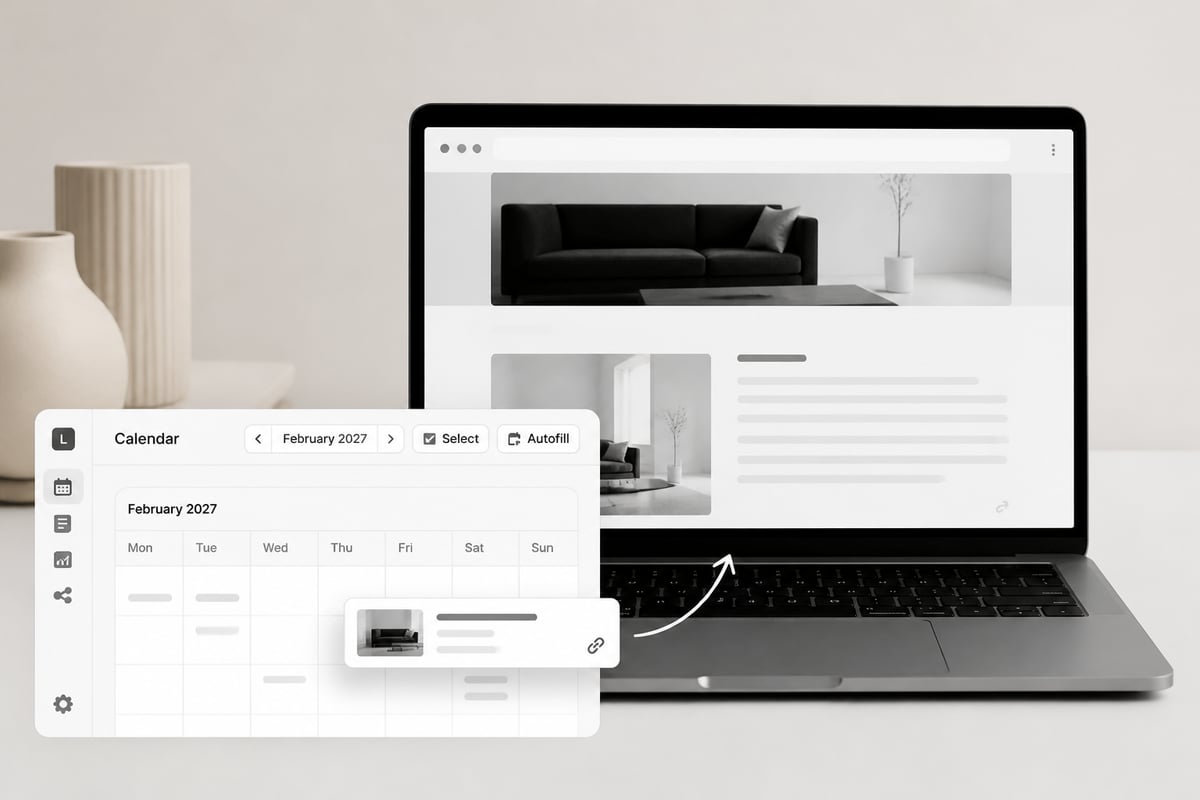
RankPill fills it. It plans, writes and publishes SEO articles to your site on a schedule you set, up to one a day. It costs $99 a month per website for 30 articles of about 1,000, 2,000 or 3,000 words, with images, internal and external links, meta tags and natural mentions of your products. It publishes directly to WordPress, Shopify, Webflow, Wix and Framer, or to any site through webhooks. New customers can start with a 3-day trial for $1.
The trade-offs are plain. RankPill is not for you if you want hand-written content only, or if your site cannot connect to a supported publishing platform. You can pick Review each article so nothing goes live until you approve it. Most sites see first impressions within 2 to 3 weeks, and steady growth usually shows from month 3 or 4. There is no guaranteed timeline.
Free keyword research for the planning step
A keyword list with real volume and difficulty keeps you from writing articles nobody searches for. RankPill's Keyword Research Tool scans your site and your competitors, then builds a list with monthly search volume and keyword difficulty. Each keyword is tagged by opportunity and can be added to your content calendar in one click. It is included in every RankPill plan.
For a no-cost start, the free SEO tools page collects single-purpose checkers, including a keyword difficulty checker you can run before you commit to a topic.
How to build a small SEO tool stack
You do not need all eight tools. A lean stack beats a long one you never open.
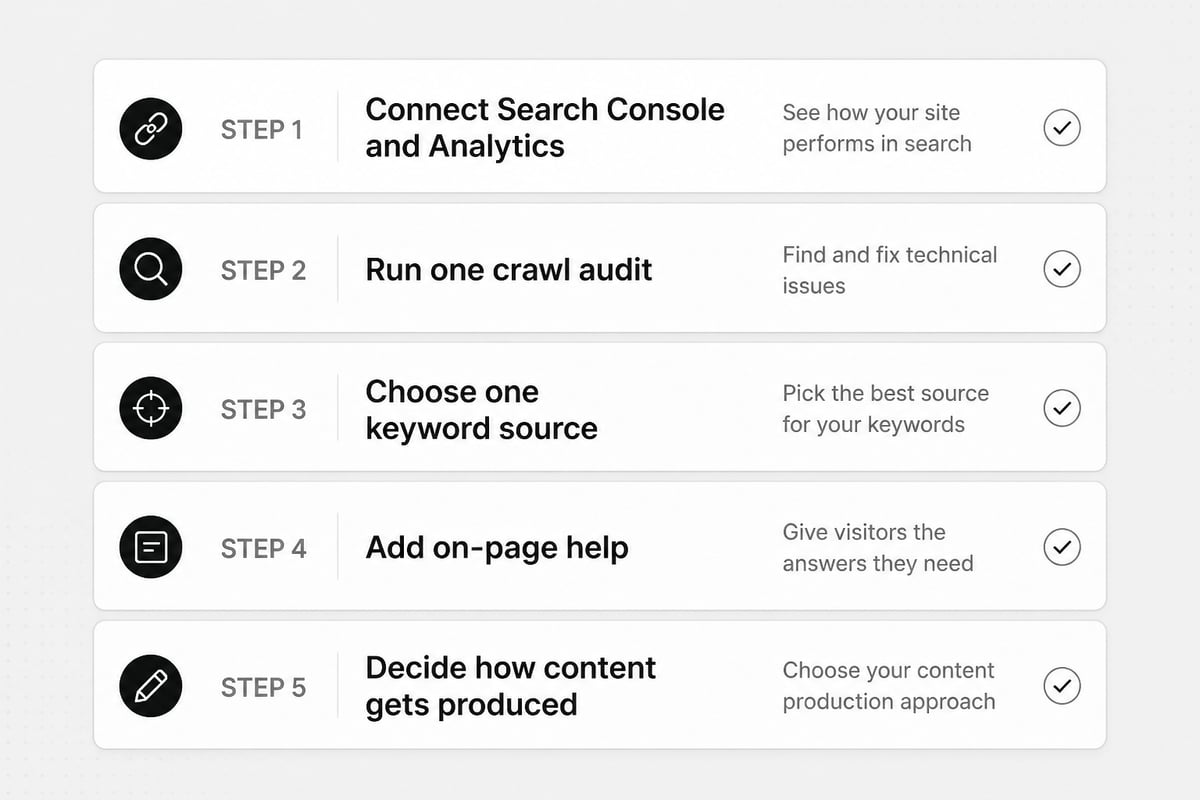
- Start free. Connect Google Search Console and Google Analytics. This costs nothing and gives you a baseline.
- Audit once. Run Screaming Frog on your site and fix broken links and missing titles.
- Pick one keyword source. Choose Keyword Planner, AnswerThePublic or Ubersuggest, depending on budget.
- Add on-page help if you edit by hand. Yoast covers this on WordPress.
- Decide how content gets made. Writing it yourself is free but slow. Automation costs money but keeps a steady schedule.
For more on tools that combine these steps, see RankPill's overview of AI tools for SEO and its list of best SEO automation tools.
Can I do SEO for free?
Yes, you can do SEO for free, and many sites start that way. Search Console, Analytics, Keyword Planner and the free tier of Screaming Frog cover search data, traffic, keywords and technical audits at no cost.
The real cost is your time. Writing, editing and publishing articles takes hours each week. Free tools tell you what to fix, but they do not produce content for you.
A 2025 guide from Network Solutions lists Search Console, Keyword Planner, Analytics, AnswerThePublic, Ubersuggest and MozBar among free tools or free tiers. That is enough to run a basic program on a small site.
FAQ
What do SEO tools stand for?
SEO stands for search engine optimization. SEO tools are programs that help you measure and improve how a website appears in search results, covering rankings, keywords, technical health and content.
Can ChatGPT do SEO?
ChatGPT can help with parts of SEO, such as brainstorming topics, drafting outlines or rewriting meta descriptions. It does not give you search volume, difficulty scores, indexing data or publishing, so you still need dedicated tools for those jobs.
Is SEO dead or evolving in 2026?
SEO is evolving, not dead. People still search on Google, and AI assistants such as ChatGPT and Gemini now pull answers from web pages too. Clear, well-sourced articles help in both places.
Your next step is simple: verify your site in Google Search Console today, since it costs nothing and gives you a baseline for every other tool on this list. Once you know which queries already bring impressions, you can decide how much content you can realistically produce. If the answer is "not enough, and no time to write it," Try RankPill to have articles planned, written and published for you, starting with the Keyword Research Tool that is included in every plan.
Unlock Traffic on Autopilot
Grow organic traffic on autopilot. RankPill will research, write, optimize, and publish articles to your website daily.