
Ubersuggest Pricing Guide: Plans and Costs Explained

Modest Mitkus · November 11, 2026
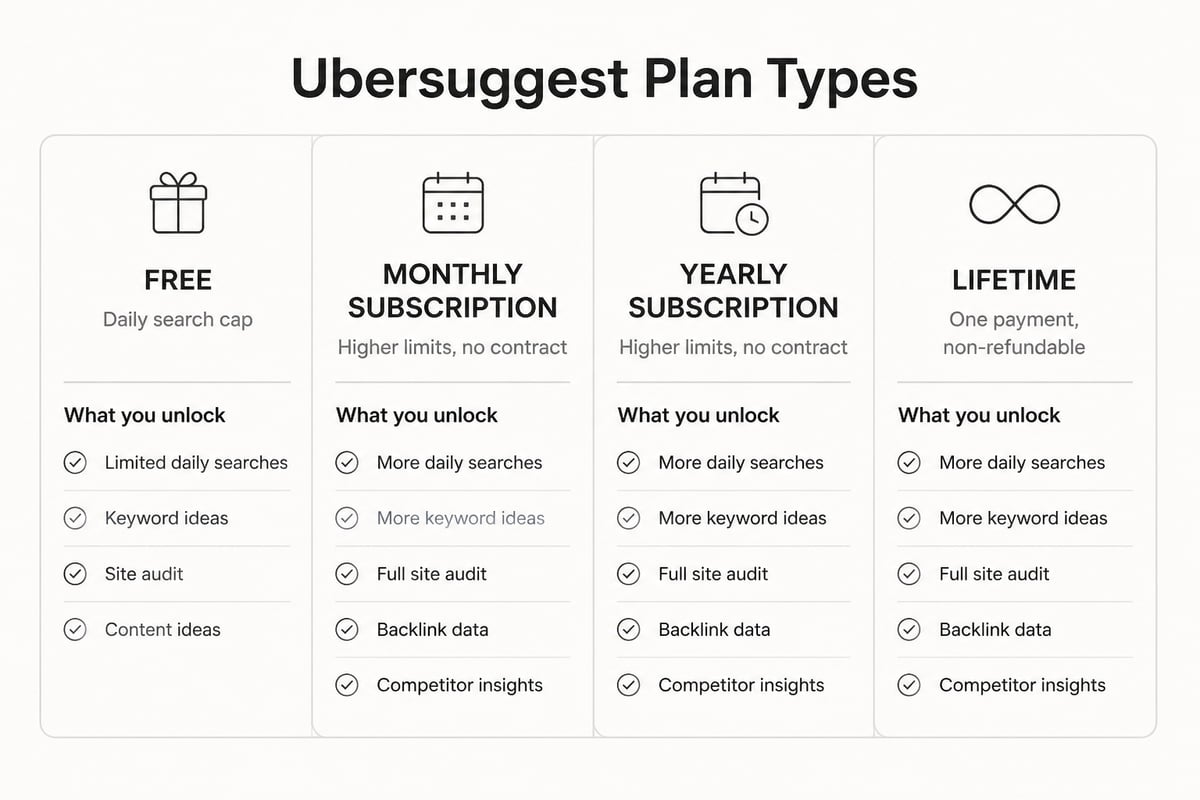
Ubersuggest pricing comes down to three routes: a limited free plan, paid monthly or yearly subscriptions, and a one-time lifetime purchase. Ubersuggest says monthly subscriptions have no contracts and offers a one-time 7-day free trial, while lifetime purchases are final and non-refundable, according to the Ubersuggest pricing page. Exact dollar amounts change often, so check that page before you buy. This guide explains how the plans are structured, what you get at each level, and how to judge whether the tool is worth paying for.
How Ubersuggest Pricing Is Structured
Ubersuggest sells access in tiers that mainly differ by how many projects, tracked keywords and daily searches you can run. The tiers follow a familiar pattern for SEO tools: a free level to try it, then small, mid and larger paid levels, plus a lifetime option that replaces the monthly bill with one payment.
Here is the general shape of the offer:
- Free access: a limited number of searches per day, with basic keyword ideas, top pages and some historical data.
- Monthly or yearly subscription: higher daily limits, more projects, more tracked keywords and more audit pages. Monthly plans have no contract.
- Lifetime plan: a single payment for ongoing access to a plan tier. It is final and non-refundable.
- Trial: a one-time 7-day free trial of the paid features.
I am not quoting dollar figures for each tier here. Ubersuggest changes its prices and plan names, and a stale number in an article helps no one. Open the pricing page, pick the tier that matches your project count, and read the limits line by line.
Can You Use Ubersuggest for Free?
Yes, you can use Ubersuggest for free, but the free plan caps how many searches you can run each day. The current free limits are not confirmed here, so check the daily search cap inside the tool before relying on it.
The free plan works well for a quick check. You can look up a keyword, see rough volume and difficulty, and scan what ranks. It stops being enough once you want to track many keywords, run regular audits or work across several sites.
If your goal is only to learn how keyword research works, free is a fair place to stay. If you plan to publish weekly, you will hit the limits fast.
What You Get When You Pay
Paid tiers raise limits and add the tools you use repeatedly. The core pieces are the same across most plans, and the plan level decides how much you can do with each.
Keyword research and content ideas
You get keyword suggestions with search volume, SEO difficulty and paid difficulty, plus lists of top-ranking pages and content ideas for a topic. This is the feature most people buy it for. Our own breakdown of how AI changes keyword work covers what to do with the list once you have it.
Site audit and rank tracking
The audit crawls a site and flags technical issues. Rank tracking lets you follow positions for chosen keywords over time. Paid plans raise how many pages the audit scans and how many keywords you can track.
Backlink data
Backlink analysis shows who links to a page or competitor. It is useful for finding link targets, though the index is smaller than those of the large enterprise tools. If links are a priority, read our guide on how to build backlinks before you pay for any data.
Monthly, Yearly or Lifetime: Which Payment Option Fits?
Choose monthly if you are still testing the tool, yearly if you already know you will use it, and lifetime only if you are sure the product and your needs will stay stable. The trade-off is flexibility against total cost.
| Option | Commitment | Refund | Best when |
|---|---|---|---|
| Monthly | None, no contract | Cancel anytime | You are testing or have a short project |
| Yearly | One year upfront | Check the terms | You will use it all year |
| Lifetime | One payment | Final, non-refundable | You are certain you will keep using it |
The lifetime option is the one that draws the most debate. Founders on forums ask whether it is safe to buy. The risk is real: the payment is final, the tool's data sources and limits can change, and a lifetime tier is tied to whatever limits the plan has today. A one-time fee can still pay off if you use the tool for years. It is a poor bet if you are buying on impulse.
A simple rule: use the 7-day trial first. If you would not renew a monthly plan after the trial, you should not buy lifetime.
Is Ubersuggest a Good Tool?
Ubersuggest is a good tool for beginners and small teams who want keyword ideas and basic audits at a low cost. It is less suited to agencies that need deep data, large-scale tracking or advanced reporting.
What it does well
- Easy to learn, with a clean interface.
- Low entry price compared with enterprise suites.
- A free tier and a trial, so you can test before paying.
- Useful content ideas and top-page lists.
Where it falls short
- Data depth and link index are smaller than larger suites.
- Lower plans cap projects and tracked keywords.
- It gives you data, not finished articles. You still need to plan, write and publish.
That last point matters most for small businesses. A keyword tool tells you what to write. It does not write it. If you want to see how bigger suites price the same kind of access, our Semrush pricing breakdown shows the gap.

The Real Cost: Tool Fee Plus Content Work
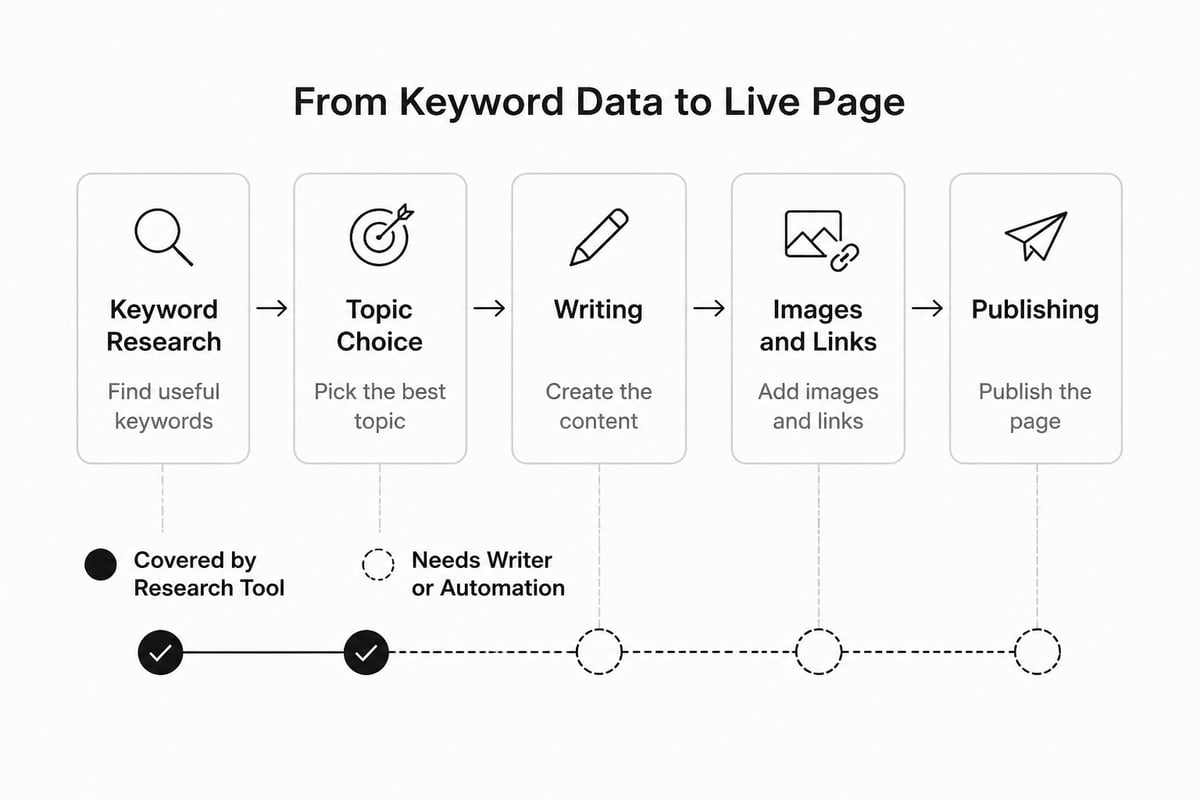
The subscription is only part of what SEO costs, because someone still has to turn keywords into published pages. A research tool at a modest monthly fee can look cheap until you add the hours or freelancer fees for writing and publishing.
Think of it as two budgets:
- Data budget: the tool you pay for research, tracking and audits.
- Production budget: writing, editing, images, internal links and publishing.
Most small teams underspend on the first and overspend on the second, or the reverse. Neither matters if the articles never go live.
A typical founder workflow with a data tool looks like this: pull keywords, pick topics, brief a writer, edit the draft, add links and images, publish, repeat. That is several hours per article even before you pay a writer. If you are comparing total cost, our SEO price guide lays out what agencies and freelancers charge for the production side.
What Is the Cost of Google SEO, and Is Paying for It Worth It?
The cost of SEO ranges from a low monthly tool subscription to thousands of dollars a month for agency retainers, and it is worth paying for when organic traffic can bring you customers you would otherwise pay to reach. Whether it pays off depends on your margins, your niche and how long you can wait.
Free resources can cover a lot of the basics for small sites, so it is worth checking Google's own documentation before paying for anything.
Here is a practical way to decide:
- If you have no time and a small budget, pick a low-cost tool and publish steadily.
- If you have budget and no time, automate production or hire help.
- If you have time and no budget, use free tools and Google's own documentation.
Our piece on whether SEO is worth it for small businesses goes through the numbers in more detail.
When a Keyword Tool Is Enough, and When It Is Not
A keyword tool is enough if you or your team will write and publish the content yourselves. It is not enough if the real bottleneck is time.
Ask yourself three questions:
- Can you publish at least four articles a month without it slipping?
- Do you have someone who can write well and add images, links and meta tags?
- Do you know how to turn a keyword list into a content calendar?
If the answer to any is no, the research tool solves the smaller problem. The bigger one is output.
This is where an automation tool fits a different need. RankPill finds keywords your site can rank for, writes articles of about 1,000, 2,000 or 3,000 words, and publishes them on your schedule to WordPress, Shopify, Webflow, Wix, Framer or any site via webhooks. It costs $99 a month per website for 30 articles a month, and new customers can start with a 3-day trial for $1. It is not the right fit if you want only hand-written content or your site cannot connect to a supported publishing platform.
Doing Keyword Research Without a Large Subscription
You can run useful keyword research at low cost if you pick a tool that gives you volume and difficulty and then act on the results. The tool matters less than whether you publish.
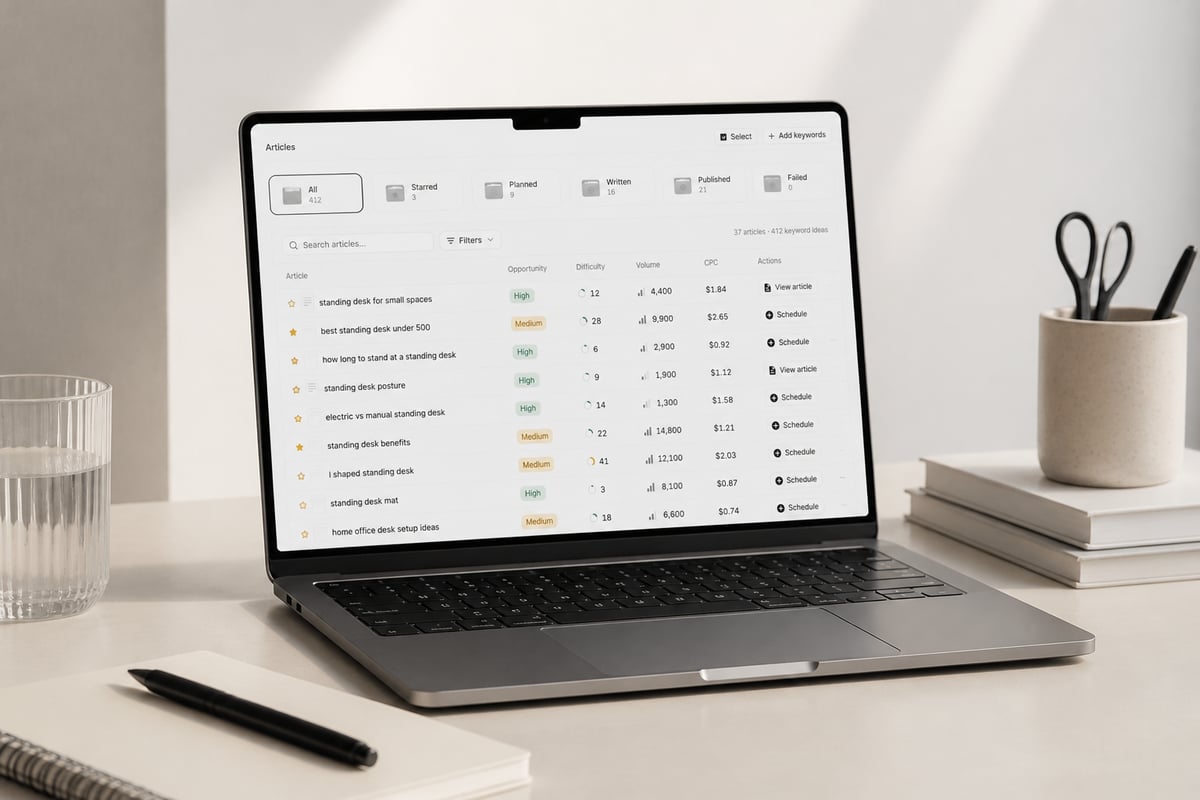
RankPill's Keyword Research Tool scans your website and your competitors, then builds a list with real monthly search volume and keyword difficulty. Each keyword is tagged by opportunity and can be added to a calendar in one click. It is built for people who want a clear list of what to write next, not a 50-column spreadsheet.
Whichever tool you use, a few habits matter more than the price:
- Start with keywords close to what you sell.
- Pick low-difficulty terms first if your site is new.
- Check the top results to see what format ranks.
- Group keywords into topics so articles link to each other.
- Review results monthly in Google Search Console, which is free.
Questions to Ask Before You Pay for Any SEO Tool
Before paying, check that the plan's limits match your real workload. Most regrets come from buying a tier that is too small or too large.
Use this short checklist:
- How many sites or projects do I need to cover?
- How many keywords do I need to track?
- Do I need audits weekly or monthly?
- Can I cancel without a contract?
- What happens to my data if I stop paying?
- Is there a refund, and for how long?
Ubersuggest answers some of these directly: monthly plans have no contract, the trial is one-time and lifetime purchases are non-refundable. Read the rest on the pricing page, and screenshot the terms on the day you buy.
Also think about where search is heading. More buyers now ask ChatGPT and other assistants before they search.
FAQ
What is the cheapest way to start with Ubersuggest?
Start with the free plan or the one-time 7-day trial. Both let you test keyword research and audits before you commit to a paid tier. Monthly plans have no contract, so you can stop whenever you want.
Is the Ubersuggest lifetime deal a good idea?
It can be, but only if you are sure you will use the tool for years. The purchase is final and non-refundable, and plan limits can change. Try the trial and a monthly plan first.
Does Ubersuggest write and publish articles for me?
No. It gives you keyword data, audits and content ideas. You or a writer still need to plan the articles, write them and publish them on your site.
Open the Ubersuggest trial or free plan this week, pull 20 keywords for your main topic and note how many you could realistically publish in a month. If the answer is fewer than you need, the gap is production, not research. Try RankPill to have articles planned, written and published for you on a schedule, starting with a 3-day trial for $1, and use its Keyword Research Tool to see what your site can rank for first.
Unlock Traffic on Autopilot
Grow organic traffic on autopilot. RankPill will research, write, optimize, and publish articles to your website daily.